Connected Vehicles · Software Engineering · Field Guide
Over-the-Air Updates
in the Automotive World
How modern cars receive new software wirelessly — the cloud backend, the airwaves, the electronics inside the vehicle, the security that protects every byte, and the regulations that make it all mandatory. A detailed, diagram-first explanation.
What “Over-the-Air” actually means for a car
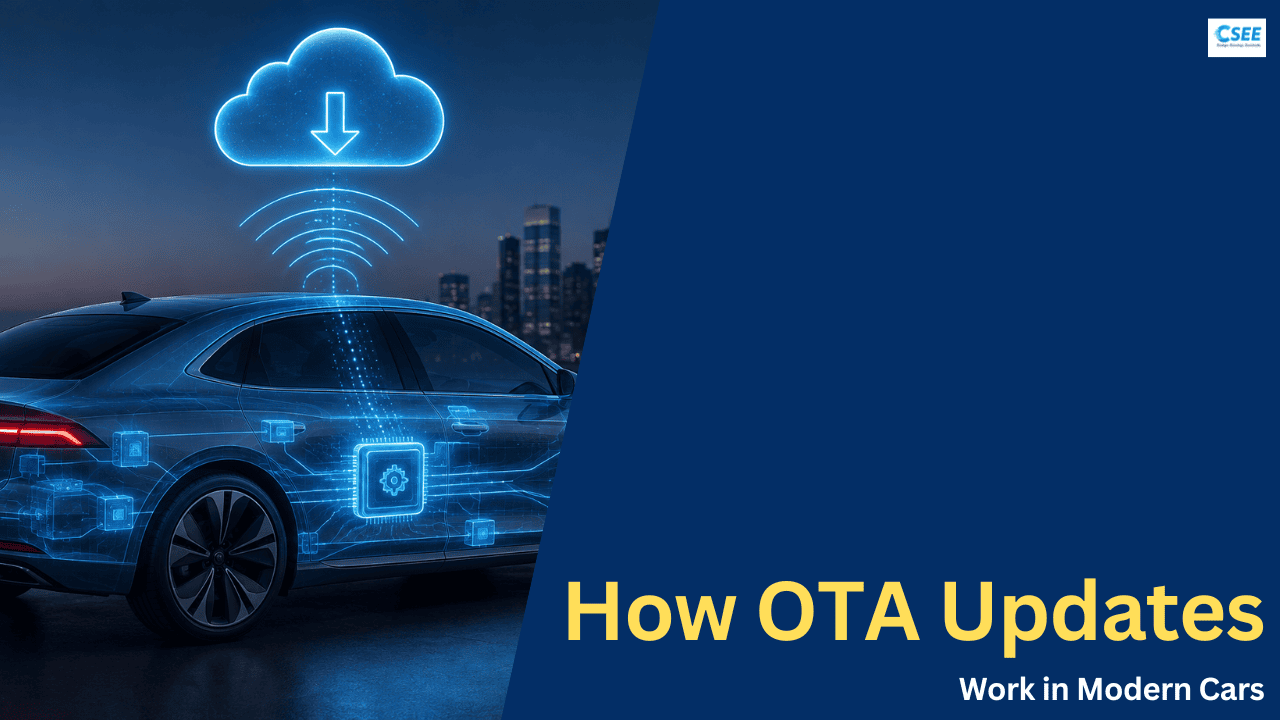
Over-the-Air (OTA) refers to the ability to deliver new software, firmware, configuration, and data to a vehicle remotely, using a wireless connection, without the car ever visiting a workshop or being physically plugged into a diagnostic tool. The same concept that lets a smartphone update itself overnight now applies to an object that weighs two tonnes, drives at highway speed, and carries human passengers. That difference in stakes is the entire story of automotive OTA.
A contemporary car is no longer primarily a mechanical device with some electronics bolted on. It is a distributed computer network on wheels. A premium vehicle can contain over 100 individual computers, collectively running somewhere between 100 and 150 million lines of source code — far more than a modern fighter jet or a desktop operating system. Every one of those computers runs software, and software has bugs, security holes, missing features, and room for improvement. Historically, fixing any of it meant a recall: a letter in the mail, an appointment, a technician, and a cable. OTA replaces that entire chain with a wireless download.
The strategic value is easy to state. A software recall that once cost a manufacturer hundreds of dollars per car in labour, logistics, and customer goodwill can now cost almost nothing. A safety patch that once took months to reach the fleet can reach it in days. And a feature the customer paid for — improved range, a new driver-assistance behaviour, a smoother infotainment interface — can be delivered to a car that has already been sold, turning the vehicle into a product that improves after purchase rather than depreciating in every dimension at once.
But the phrase “just like a phone” hides everything that makes automotive OTA hard. A phone that fails to boot after a bad update is an inconvenience; a car that fails to boot may be a stranded family or, worse, a control unit that misbehaves at speed. A phone updates one device that its owner is holding; a car update must reach a specific, safety-critical computer buried among a hundred others, over networks never designed to carry large files, while guaranteeing the vehicle stays drivable throughout and can undo the change instantly if something is wrong. Everything in the sections that follow — the redundant memory banks, the layered cryptography, the staged rollouts, the regulatory certification — exists to close that gap between the convenience of a phone update and the consequences of a moving vehicle.
Why the industry moved to OTA
Four distinct pressures pushed the automotive industry toward OTA, and understanding them explains why the technology is now considered non-negotiable rather than a luxury.
1. The cost and reach of recalls
Software-related recalls have grown into one of the largest categories of vehicle recall. A traditional recall requires physically reaching every affected car, which is slow, expensive, and incomplete — a meaningful fraction of owners never respond to recall notices at all. OTA reaches the whole fleet, silently, at a fraction of the cost, and can achieve completion rates a mailed letter never will.
2. Cybersecurity
A connected car is an attack surface. Once a vehicle can talk to the internet, vulnerabilities that are merely embarrassing in a phone become potentially life-threatening in a car. The famous 2015 demonstration in which researchers remotely took control of a Jeep’s steering and brakes forced a 1.4-million-vehicle recall — patched, at the time, by mailing owners a USB stick. OTA is the only mechanism that can push a security patch to millions of vehicles fast enough to outrun an active exploit.
3. Feature velocity and new business models
Buyers increasingly expect their car to behave like their phone: to gain capabilities over time. OTA enables feature-on-demand — heated seats, extra range, upgraded autonomy tiers — sold as software after the car has left the factory. It also lets a manufacturer ship a car “good enough” at launch and refine it in the field, collapsing development timelines.
4. The Software-Defined Vehicle
The whole industry is reorganising around the Software-Defined Vehicle (SDV): an architecture in which the car’s behaviour and value live primarily in software running on a few powerful central computers, with hardware acting as a stable, long-lived platform beneath. An SDV is meaningless without a robust way to change that software in the field. OTA is the delivery mechanism the entire SDV vision depends on.
SOTA vs. FOTA: two flavours of update
OTA is an umbrella term. Underneath it, engineers distinguish between two categories based on what is being updated and how deep in the system the change reaches.
SOTA (Software-Over-the-Air) updates the high-level software: infotainment apps, navigation maps, user-interface layers, and application logic running on top of an operating system. These live on the more powerful, phone-like computers in the car. SOTA is comparatively forgiving — a failed app update rarely endangers anyone, and the affected computer usually has plenty of memory and processing headroom.
FOTA (Firmware-Over-the-Air) updates the low-level firmware that runs directly on an Electronic Control Unit (ECU) — the small, specialised microcontrollers governing the engine, brakes, transmission, battery management, airbags, and steering. FOTA is far more delicate: these are resource-constrained devices with little spare memory, they often control safety-critical functions, and a corrupted firmware flash can leave (“brick”) a control unit non-functional. FOTA is where the hardest engineering of automotive OTA lives.
| Dimension | SOTA (Software) | FOTA (Firmware) |
|---|---|---|
| Target | Apps, maps, UI, high-level services | ECU firmware, bootloaders, low-level control code |
| Runs on | Powerful compute (infotainment, cockpit, central computer) | Constrained microcontrollers across the vehicle |
| Safety impact | Usually low | Often safety-critical (brakes, steering, powertrain) |
| Resources available | Ample RAM, flash, an OS with a file system | Kilobytes to megabytes; often no OS |
| Failure consequence | App restart or reinstall | Bricked ECU; potential loss of function |
| Typical protocol path | IP / internet-style over the vehicle’s Ethernet backbone | Automotive diagnostics (UDS) over CAN / Ethernet |
| Update strategy | Often A/B or containerised, easily reversible | A/B where memory allows; otherwise carefully staged |
End-to-end architecture: cloud, air, and vehicle
Every OTA system spans three domains that must cooperate flawlessly: a cloud backend where updates are built and campaigns are managed, a connectivity layer that carries the data through the air, and the in-vehicle system that receives, verifies, and installs it. The diagram below shows the whole chain end to end.
The cloud backend
This is the manufacturer’s control room. It builds update packages from validated software releases, cryptographically signs and encrypts them, and — crucially — runs campaign management: deciding which vehicles get which update, when, and in what order. It maintains a live registry of every vehicle in the fleet and the exact software version running on every ECU inside each one, so it knows precisely what each car needs.
The connectivity layer
Data reaches the car through cellular networks (4G/5G via an embedded SIM), the owner’s home Wi-Fi, or — for the heaviest packages or the most sensitive ECUs — a wired connection at a dealership. Cellular gives reach; Wi-Fi gives cheap bandwidth for large downloads; the dealer path gives a controlled environment for the riskiest flashes.
The in-vehicle system
A telematics control unit is the car’s antenna to the outside world. Behind it, an OTA manager (often co-located with the central gateway) orchestrates the whole install: it authenticates the package, decides the sequence, distributes the right firmware to the right ECU across the internal network, verifies each flash, and manages rollback if anything goes wrong.
The electrical/electronic (E/E) architecture
To understand FOTA you have to understand how a car’s computers are wired together. This is called the E/E architecture, and it has been evolving rapidly — an evolution driven in large part by the demands of OTA and the SDV.
ECUs and the networks between them
Each ECU is a self-contained computer responsible for one domain of the car. They talk to each other over shared in-vehicle networks. For decades the dominant network was the CAN bus (Controller Area Network) — robust, cheap, but slow. As data volumes exploded, faster networks were added: FlexRay for time-critical control, LIN for cheap low-speed devices like window motors, and increasingly Automotive Ethernet as a high-bandwidth backbone. OTA is one of the main reasons Ethernet is being adopted: pushing hundreds of megabytes to many ECUs simply is not practical over a legacy CAN bus running at 500 kbit/s.
| Network | Typical speed | Used for | OTA relevance |
|---|---|---|---|
| LIN | up to 20 kbit/s | Simple actuators, sensors, mirrors, windows | Too slow; updated indirectly via a parent ECU |
| CAN / CAN-FD | 0.5 – 5 Mbit/s | Powertrain, chassis, body control | Widely used for FOTA via UDS diagnostics, but a bottleneck for large images |
| FlexRay | up to 10 Mbit/s | Deterministic, safety-critical control | Used where timing matters; limited bandwidth for updates |
| Automotive Ethernet | 100 Mbit/s – 10 Gbit/s | ADAS, cameras, backbone, high-compute domains | Preferred OTA backbone; makes large, fast updates practical |
From distributed to zonal architectures
Three generations of E/E architecture are worth distinguishing, because they change how hard OTA is to do well.
In a modern zonal architecture, most of the valuable, frequently-updated software concentrates onto one or two central compute units connected by a fast Ethernet backbone. This is deliberate: it turns “update a hundred scattered microcontrollers” into “update a couple of powerful, well-resourced computers,” which is dramatically easier to do safely, reversibly, and often.
SOTA and FOTA architecture, side by side
Section 3 defined SOTA and FOTA by what they update. But the deeper difference is how the update physically travels the last few metres inside the car and gets written to its destination. The two follow architecturally different paths, use different protocols, and are applied by different mechanisms. A single vehicle-wide campaign usually contains both at once, orchestrated together by the OTA manager.
The shared front end is identical: both start in the cloud, both are signed and encrypted, and both arrive through the telematics unit (Section 4). They diverge at the gateway. From there, a SOTA package flows to a rich compute node and is applied with file-and-package semantics, much like a phone or server; a FOTA package flows to a constrained microcontroller and must be written through the automotive diagnostic stack by a component that behaves like a workshop programming tool living inside the car.
SOTA architecture — updating a rich compute node
SOTA targets the powerful, phone-like computers in the car: the infotainment head unit, the digital cockpit, and the central/high-performance compute units. These run a full operating system — Linux, Android Automotive OS, or a safety RTOS such as QNX — with a real file system, ample flash (eMMC/UFS), and spare CPU for cryptography. That richness means SOTA can borrow the mechanics of modern cloud and mobile software almost directly.
Two properties define the SOTA path. First, the transport is essentially internet-style: IP over the Ethernet backbone, secured with TLS, moving self-describing packages. Second, the update is applied with high-level semantics — a package manager or update orchestrator either writes a whole new OS image to the inactive A/B slot and reboots into it, or, with containerisation, replaces just one isolated app without touching the rest of the system. Because these nodes have room for A/B slots and a recovery path, SOTA is inherently reversible and comparatively low-risk.
FOTA architecture — reprogramming an ECU
FOTA targets the opposite kind of device: a small microcontroller with kilobytes to a few megabytes of memory, frequently no operating system, and often responsibility for a safety function. You cannot copy a file onto it. Instead the firmware must be written into program flash by the ECU’s own flash bootloader, driven by a component inside the car that speaks the automotive diagnostic language — the very same UDS (Unified Diagnostic Services, ISO 14229) protocol a workshop tool uses when it reprograms an ECU over a cable. In OTA, the OTA manager / gateway becomes that tester, running the flashing sequence remotely from within the vehicle.
The FOTA flashing sequence is a strict, standardised handshake. The tester opens a programming session, passes a security access challenge (a seed/key exchange or certificate check that proves it is authorised to reprogram this ECU), erases or prepares the target memory, then streams the firmware with RequestDownload followed by repeated TransferData blocks, closes the transfer, runs a dependency and integrity check (CRC/hash), and finally resets the ECU so it boots the new application — with secure boot validating the signature one more time before the code is allowed to run. On modern cars this travels as DoIP (Diagnostics over IP, ISO 13400) across Automotive Ethernet; on older ones it is UDS over CAN-FD, which is far slower and a real bottleneck for large images.
Orchestration: both paths in one campaign
A real update rarely touches just one target. The OTA manager acts as the conductor for the whole vehicle: it sequences updates across many ECUs and compute nodes, honours dependencies (some components must be updated together, or in a defined order, so that versions stay compatible), enforces preconditions (power, parked state, consent), and treats the campaign as close to atomic as possible — so the car is never left in a half-updated, inconsistent state where a new central-compute version is talking to an ECU still running incompatible old firmware. If any target fails, the manager can roll the affected components back to their previous versions together.
| Layer | SOTA path | FOTA path |
|---|---|---|
| Destination | Rich compute node running an OS (infotainment, cockpit, central compute) | Constrained ECU microcontroller, often without an OS |
| Applied by | OTA client / package manager / container runtime on the node | ECU flash bootloader, driven by the gateway acting as a diagnostic tester |
| Protocol | IP over Ethernet, TLS — internet-style delivery | UDS (ISO 14229) over DoIP (Ethernet) or CAN-FD |
| Update unit | Full OS image or an individual app / container | Firmware binary or delta for one ECU’s program flash |
| Storage & A/B | Large flash (eMMC/UFS); A/B slots readily available | Small flash; A/B only where memory budget allows |
| Security check | Signature verify + TLS; secure boot on the node | Security access + signature verify + secure boot in the ECU/HSM |
| Revert | Slot switch or app re-deploy — easy | Bank switch if A/B present; otherwise a careful re-flash |
| Risk profile | Lower — rarely safety-critical, easily reversible | Higher — often safety-critical; a bad flash can brick the ECU |
The OTA update lifecycle, step by step
A single OTA update is not one event but a carefully sequenced pipeline. Rushing or skipping any stage is how cars get bricked. Here is the full lifecycle, from a developer committing a fix to the car confirming success.
Walking through the stages
- Package. A validated software release is turned into an update package. If a previous version is known, a delta (the difference between old and new) is computed instead of shipping the whole image — see Section 8.
- Sign & encrypt. The package is encrypted (so no one can read it in transit) and cryptographically signed (so the car can prove it came from the manufacturer and was not altered).
- Campaign. The backend decides which vehicles are eligible and schedules a staged rollout: a small pilot group first, monitored closely, then progressively wider — so a bad update is caught before it reaches millions.
- Download. The car pulls the package in the background while driving or parked, over cellular or Wi-Fi. Downloads are resumable, so a dropped connection doesn’t restart from zero.
- Verify. Before touching anything, the car checks the signature and integrity, and confirms preconditions: enough battery/fuel, vehicle parked, sufficient storage, correct current version.
- Install. The new firmware is written — ideally to an inactive memory bank while the running software stays untouched (Section 9). The car remains fully usable throughout for non-critical updates.
- Activate & confirm. With the driver’s consent and safe conditions met, the car switches to the new software, self-tests, and reports success. If the new version fails to boot or behaves wrongly, it rolls back to the previous, known-good version automatically.
Full images vs. delta updates
Bandwidth costs money and cellular data is finite. A naive OTA system would send the entire new software image every time. A well-engineered one sends only what changed. This is the difference between a full update and a delta (differential) update.
Delta updates are generated by a binary-differencing algorithm in the cloud that compares the exact version currently on the ECU with the target version and produces a compact patch. The vehicle applies the patch to its existing firmware to reconstruct the new image bit-for-bit. This is why the backend must know precisely which version every ECU is running: a delta is only valid against one specific source version.
| Aspect | Full image | Delta / differential |
|---|---|---|
| Data transferred | The whole image, every time | Only the changed bytes — often 1–5% |
| Cellular cost | High | Low |
| Download time | Long | Short |
| Cloud complexity | Simple | Must track every source version and generate patches |
| In-vehicle work | Just write the image | Reconstruct image from base + patch, then verify |
| Version dependency | None — self-contained | Strict — valid only from a known source version |
| Best for | First install, major rewrites, unknown state | Frequent incremental fixes on a known fleet |
A/B partitions and safe rollback
The single most important reliability technique in automotive OTA is A/B (dual-bank) partitioning. The idea: give the ECU two copies of its firmware storage — an active bank the car is currently running from, and an inactive bank. Updates are written to the inactive bank while the active one keeps the car running. Only when the new version is fully written and verified does the system switch which bank is active.
A/B partitioning delivers three enormous benefits: the car stays usable during the update (no downtime while flashing), the switch to the new version is nearly instantaneous (just a pointer flip at the next boot), and — most importantly — rollback is guaranteed. If the new firmware fails to boot, a hardware watchdog notices it never reported success and reverts to the old bank automatically. This is what makes it acceptable to update safety-critical systems in the field.
| Property | A/B dual-bank | Single-bank |
|---|---|---|
| Vehicle availability during update | Fully usable | Often unavailable while flashing |
| Rollback on failure | Automatic and instant | Difficult; risk of a bricked ECU |
| Memory cost | Roughly double the flash | Minimal |
| Switch-over time | Effectively instant (pointer flip) | Requires a full re-flash to revert |
| Suitable for safety-critical ECUs | Strongly preferred | Risky; needs extra safeguards |
| Cost driver | More expensive silicon | Cheaper, but riskier |
The trade-off is cost: A/B doubles the required flash memory, and on a cheap ECU controlling, say, a window motor, that cost may not be justified. Engineers therefore reserve A/B for the ECUs where reliability matters most and accept single-bank updates — with extra safeguards like a protected recovery bootloader — for the simplest, least critical devices.
Securing the pipeline: trust from cloud to ECU
An OTA channel is, by definition, a remote path that can rewrite the software controlling a moving vehicle. If an attacker could push their own firmware through it, they could compromise entire fleets at once. Security is therefore not a feature of automotive OTA — it is the precondition for its existence. The guiding principle is a chain of trust: every stage cryptographically verifies the previous one, so that unauthorised or altered software is rejected at the earliest possible point.
The cryptographic building blocks
- Digital signing. The manufacturer signs each update with a private key held securely in the cloud. The car holds the matching public key and verifies the signature, proving the update genuinely came from the manufacturer and has not been modified.
- Encryption. The package is encrypted so that even if intercepted in transit, its contents cannot be read or reverse-engineered.
- Integrity hashing. A cryptographic hash lets the car detect even a single flipped bit caused by corruption or tampering.
- Secure boot. At every power-on, each ECU verifies the signature of its own firmware before running it — so unsigned code simply will not execute, even if somehow written to memory.
- Hardware Security Module (HSM). A dedicated, tamper-resistant chip (or region) inside the ECU stores keys and performs cryptographic checks in isolation, so keys never sit exposed in general memory.
Uptane: a framework built for cars
General-purpose software-update security was not designed with the automotive threat model in mind — a fleet of millions of long-lived, safety-critical, intermittently-connected devices, some of which an attacker may physically possess. Uptane is an open security framework created specifically for automotive OTA. Its central innovation is the separation of roles so that compromising any single key or server is not enough to push malicious firmware.
Uptane splits authority between two repositories. The Image Repository is offline-signed by the manufacturer and vouches for what the correct, official firmware is. The Director Repository is online and decides which vehicle should install which images and when. A vehicle only installs firmware that both repositories agree on. Because the powerful offline keys are kept away from the internet-facing servers, an attacker who breaches the online Director still cannot forge a valid image — the Image Repository won’t vouch for it. This design also resists rollback attacks (forcing a car back to old, vulnerable software) and freeze attacks (tricking a car into thinking no updates exist).
Standards and regulations
Because a bad update can endanger lives, OTA is heavily governed. Manufacturers cannot simply build whatever pipeline they like; they must demonstrate to regulators that their software-update and cybersecurity processes meet defined standards before a vehicle can be sold in many markets.
| Standard / regulation | Focus | What it requires (in essence) |
|---|---|---|
| UN R155 | Cybersecurity | A certified Cyber Security Management System covering the whole vehicle lifecycle; threat analysis and risk assessment for every vehicle type. |
| UN R156 | Software updates | A certified Software Update Management System; every update must be identifiable, traceable, safe to install, and reversible if it fails. |
| ISO/SAE 21434 | Cybersecurity engineering | The engineering process for building security into road-vehicle electronics from design through decommissioning. |
| ISO 24089 | Software update engineering | Requirements for engineering the software-update process itself, at both vehicle and fleet level. |
| ISO 26262 | Functional safety | Ensures the systems being updated remain safe; an update must not compromise a safety function. |
| Automotive SPICE | Process maturity | A framework for assessing and improving the maturity of software-development processes at suppliers. |
The two UNECE WP.29 regulations — R155 (cybersecurity) and R156 (software updates) — are the most consequential. In jurisdictions that adopt them, a manufacturer must hold a valid Software Update Management System (SUMS) certification to type-approve new vehicles at all. R156 specifically demands that every update be uniquely identifiable and traceable, that the vehicle verify an update’s integrity and authenticity, that the process assess whether an update is safe to apply, and that failed updates can be recovered from. In other words, much of what this guide describes — signing, verification, staged rollout, rollback — is not merely good practice; it is legally mandated.
Connectivity, campaigns, and fleet management
Delivering an update to one car is a technical problem. Delivering it to millions is a logistics problem — and this is where the cloud backend earns its keep.
Connectivity options
Most modern vehicles ship with an embedded SIM giving them permanent cellular connectivity (increasingly 5G), which provides reach anywhere there is a mobile network. Because cellular data has a cost and can be slow, cars also opportunistically use the owner’s home Wi-Fi to pull large downloads cheaply. For the largest or most sensitive updates — a full flash of a safety-critical ECU — some manufacturers still prefer a wired dealer connection, which offers a controlled, high-bandwidth, uninterruptible environment.
Campaign management and staged rollout
A manufacturer never pushes a new update to the entire fleet at once. That would turn any undetected flaw into a fleet-wide catastrophe. Instead the backend runs a staged (phased) rollout: the update goes first to a small pilot group, whose vehicles are monitored intensively for any regression. If they behave correctly, the rollout expands in waves — 1%, then 10%, then the rest — with the ability to halt or pause instantly if telemetry reveals a problem. This is the field equivalent of a canary release in cloud software.
Knowing the fleet
Underpinning all of this is a digital twin of the fleet: a backend record of every vehicle’s exact configuration — which ECUs it has, which firmware version each is running, which optional features are enabled, which region and variant it is. Without this, the backend cannot compute correct deltas, cannot target campaigns accurately, and cannot know whether an update even applies. Fleet knowledge is the quiet foundation the whole system rests on.
Challenges and constraints
Despite the elegant architecture, automotive OTA remains genuinely hard. Several constraints have no equivalent in the consumer-electronics world.
Power and vehicle state
Flashing an ECU draws power and can leave the car temporarily unavailable. An update interrupted by a dying 12-volt battery mid-flash is exactly the scenario that bricks a control unit. Systems must therefore check battery state, sometimes require the car to be plugged in or running, and never begin an irreversible step without guaranteed power to finish it.
Safety and driver interaction
You cannot re-flash a brake controller while someone is braking. Updates to safety-critical systems must be gated on vehicle state — parked, in a safe location, with the driver informed — and require explicit consent for activation. Balancing seamless updates against the absolute requirement never to compromise a moving vehicle is a constant design tension.
Heterogeneity and long lifespans
A single model may exist in thousands of hardware and software permutations across model years, markets, and options. Each needs the right update, and the manufacturer must keep supporting the software for the vehicle’s entire 15-plus-year life — long after the original developers have moved on and the cloud platforms have been rebuilt.
Resource-constrained ECUs
Many ECUs have kilobytes of RAM and no room for a second firmware bank, no operating system, and no spare compute for cryptography. Delivering secure, reversible updates to such devices — squeezing signing, verification, and delta reconstruction into tiny microcontrollers — is a persistent engineering challenge.
Legacy networks
Older vehicles built on slow CAN buses without an Ethernet backbone can take a very long time to receive large updates, and may lack the compute for modern security. Retrofitting robust OTA onto legacy architectures is often impractical, which is one more reason the industry is moving toward centralised, Ethernet-based, zonal designs.
Validation before anything ships
By the time an update reaches the first real vehicle, it has already survived an extensive validation gauntlet, because in this domain there is no “push a hotfix and see what happens.” Updates are exercised in software simulation, then on hardware-in-the-loop rigs where the real ECU runs against a simulated car, then on physical test vehicles, and finally on the tightly-monitored pilot fleet described in Section 12. Engineers must also verify every update path — not just that version 4.2 works, but that upgrading to it from 4.0, from 4.1, and from every other version still in the field all succeed, and that each of those can roll back cleanly. The combinatorial explosion of source versions, hardware variants, and regional configurations makes this validation matrix one of the most demanding parts of the entire programme, and it is a large reason delta updates and accurate fleet records matter so much: they shrink the set of transitions that must be proven safe.
The road ahead: the software-defined vehicle
OTA is the enabling technology for the industry’s largest structural shift in a century. As cars consolidate their intelligence onto a few powerful central computers, the vehicle increasingly resembles a smartphone or a cloud server on wheels — and the practices of modern software engineering follow it there.
Several trends are converging. Containerisation and virtualisation let features be packaged as isolated, independently-updatable software modules — so one app can be updated without touching the rest of the car, much like updating a single app on a phone. High-performance central compute concentrates the frequently-changing software where it is easy to update and roll back. Continuous delivery pipelines, borrowed from web software, let manufacturers ship improvements in a steady cadence rather than in rare, monolithic releases. And data feedback loops — vehicles reporting real-world telemetry back to the cloud — let the next update be shaped by how the last one actually performed in the field, including training and refining driver-assistance and autonomy behaviours.
The business implications are just as significant. When a car’s capabilities live in software that can be changed at any time, the vehicle becomes a platform for ongoing services and features rather than a one-time sale. A car can be sold with hardware capability that is unlocked later, improved after purchase, and personalised to its owner — all delivered over the air. The line between “buying a car” and “subscribing to a car” blurs, and the update pipeline described in this guide becomes the single most strategically important system the manufacturer operates.
Glossary of key terms
| Term | Meaning |
|---|---|
| OTA | Over-the-Air: delivering software/firmware to a vehicle wirelessly, without a workshop visit. |
| SOTA | Software-Over-the-Air: updating high-level software such as apps, maps, and UI. |
| FOTA | Firmware-Over-the-Air: updating low-level ECU firmware, often safety-critical. |
| ECU | Electronic Control Unit: a specialised in-vehicle computer governing one function. |
| Telematics unit | The in-vehicle module that provides the wireless connection to the outside world. |
| Gateway | Central hub routing data between the car’s internal networks and managing update distribution. |
| Flash bootloader | Small program on an ECU that receives new firmware and writes it into program flash. |
| UDS | Unified Diagnostic Services (ISO 14229): the protocol used to diagnose and reprogram ECUs. |
| DoIP | Diagnostics over IP (ISO 13400): carrying UDS diagnostics/flashing over Automotive Ethernet. |
| Diagnostic tester | The tool (or, in OTA, the gateway) that drives an ECU’s reprogramming sequence. |
| Containerisation | Packaging apps as isolated units so one can be updated without touching the rest. |
| CAN bus | Controller Area Network: the classic, robust, low-speed in-vehicle network. |
| Automotive Ethernet | High-bandwidth in-vehicle backbone increasingly used as the OTA data path. |
| Delta update | Sending only the binary difference between versions instead of the whole image. |
| A/B partition | Dual firmware banks (active + inactive) enabling safe, reversible updates. |
| Rollback | Automatic reversion to the last known-good version if an update fails. |
| Secure boot | Verifying firmware authenticity at every power-on before it is allowed to run. |
| HSM | Hardware Security Module: tamper-resistant chip storing keys and doing crypto in isolation. |
| Uptane | Open security framework designed specifically for automotive OTA, separating trust roles. |
| Staged rollout | Releasing an update to progressively larger fractions of the fleet, with pause/rollback. |
| SUMS | Software Update Management System — the certified process required by UN R156. |
| SDV | Software-Defined Vehicle: a car whose value and behaviour live primarily in updatable software. |
| Zonal architecture | E/E design with a few central computers and simple zone controllers for nearby I/O. |