Silicon Explainer · The Compute Behind AI
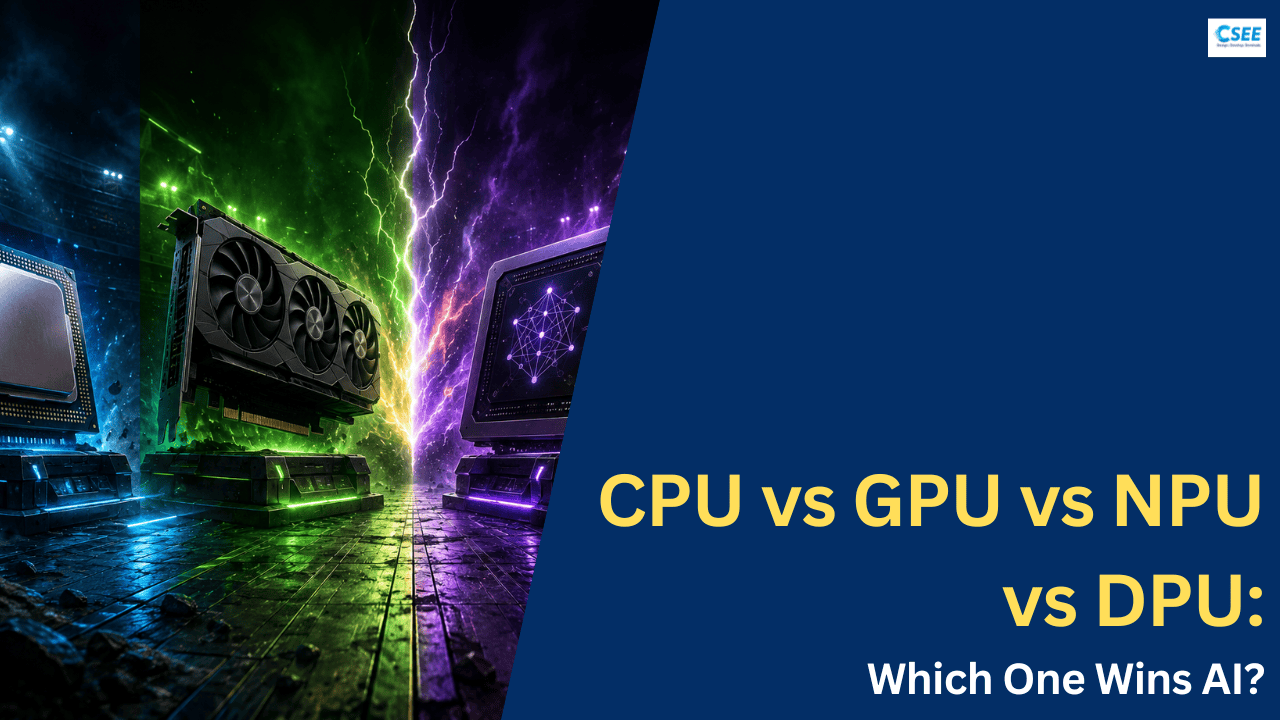
CPU vs GPU vs NPU vs DPU — Which One Wins AI?
Four kinds of processor now sit inside the machines that train and run artificial intelligence. They are not four answers to the same question — they are four different jobs. This is the field guide to what each chip actually does, drawn out in plain diagrams, and why the honest answer to “which one wins” is more interesting than picking a favorite.
01 — Foundations
What AI actually asks of a chip
Before you can say which processor “wins” at AI, you have to be precise about what the work is. Modern artificial intelligence — the neural networks behind image recognition, speech, recommendation feeds, and large language models — is, underneath the branding, a colossal pile of arithmetic. Almost all of it is one operation repeated an astronomical number of times.
That operation is multiply-and-accumulate: take two numbers, multiply them, and add the result to a running total. Stack billions of those together in a grid and you get matrix multiplication, the mathematical heartbeat of every neural network. When a model “thinks,” it is multiplying matrices of inputs by matrices of learned weights, layer after layer, then passing the results through simple non-linear functions. There is remarkably little cleverness in any single step; the intelligence is an emergent property of doing this simple thing at enormous scale.
This shapes everything about what a good AI chip needs. Three demands dominate:
1. Parallelism — many operations at once
The multiplications inside a matrix multiply do not depend on each other. You can compute all of them simultaneously if you have enough arithmetic units. A processor that can only do a handful of operations per clock tick is fundamentally mismatched to a task that offers thousands of independent operations. The winning strategy is width: pack in as many small arithmetic units as possible and run them together.
2. Memory bandwidth — feeding the beast
Arithmetic units are useless if they sit idle waiting for numbers to arrive. Neural networks have millions to trillions of weights, and every one of them must be read from memory and delivered to a compute unit. In practice, most AI hardware is memory-bound, not compute-bound: the chip could do more math, but it cannot fetch data fast enough to keep the math units busy. Bandwidth — how many bytes per second you can stream from memory into the cores — is often the true bottleneck.
3. Data movement — the hidden tax
Every time a number moves — from memory to cache, from chip to chip, from one server to the next across a network — it costs time and, crucially, energy. Moving data can cost far more energy than the arithmetic performed on it. At datacenter scale, where thousands of chips cooperate on a single training run, just shuttling data between them becomes a bottleneck in its own right. This is a job so large it eventually earns its own dedicated processor.
AI is matrix math at scale. Winning at AI means doing many multiplications at once, feeding them fast enough, and moving data cheaply. Each of the four chips solves a different slice of that problem.
02 — The generalist
The CPU Central Processing Unit
The CPU is the oldest and most flexible processor in the machine, and it is still in charge of everything — including the other three chips. It is the brain that decides what happens and when, even when the heavy lifting happens elsewhere.
A CPU is built around a small number of very powerful, very general cores. A modern desktop chip might have 8, 16, or 32 of them; a large server CPU might reach 128. Each core is a marvel of engineering designed to do one thing supremely well: execute a long, unpredictable sequence of varied instructions as fast as possible, one after another. To do this, a core spends most of its silicon not on arithmetic, but on being clever about arithmetic.
Inside a single CPU core you will find branch predictors that guess which way an if statement will go before it is decided, out-of-order execution engines that reshuffle instructions to avoid waiting, and deep multi-level caches that keep recently used data close by. This machinery exists to handle control-heavy, branchy code: the kind of logic where the next step depends on the result of the last one, where you cannot know in advance what you will need to do. Running an operating system, a web browser, a database query planner, the game logic that decides whether an enemy sees you — this is CPU work, and nothing else does it better.
Where the CPU stands with AI
For the raw matrix math at the center of deep learning, the CPU is outmatched. Its handful of cores, however brilliant, simply cannot offer the thousands of simultaneous operations the workload wants. A CPU running a large neural network spends most of its time with idle arithmetic capacity, bottlenecked by the sheer serial nature of its design. Training a modern large language model on CPUs alone would take an impractically long time — think months or years where specialized hardware takes days.
But writing the CPU out of the AI story entirely would be a serious mistake, for several reasons.
First, the CPU is the orchestrator. It loads the model, prepares and reshapes the data, decides which batches go to the GPU or NPU, launches those computations, gathers the results, and runs all the surrounding software. Every AI system is a CPU handing carefully packaged work to accelerators and stitching the answers back together. Take the CPU away and the accelerators have nothing to do.
Second, plenty of real AI is small enough for a CPU to handle well, especially with modern instruction-set extensions that add wider vector units and even small matrix engines directly into the CPU. Classical machine-learning models, modest recommendation systems, data preprocessing, and the “last mile” of many pipelines run perfectly well on CPUs — and CPUs are already present in every server, so using them costs nothing extra.
Third, the CPU is unbeatable at flexibility. When a workload is irregular, changes shape constantly, or mixes a little math with a lot of logic, the CPU’s generality wins. Not every problem is a clean matrix multiply, and for the messy remainder, the generalist is still king.
Few, powerful, flexible cores that excel at varied, branchy, sequential logic — and run the show even when the math happens elsewhere. Bad at bulk parallel math, essential at everything around it.
03 — Parallel brute force
The GPU Graphics Processing Unit
The GPU began life drawing triangles for video games and, almost by accident, turned out to be the single most important piece of hardware in the AI revolution. Its secret is a design philosophy that is the mirror image of the CPU’s.
Where a CPU spends silicon on a few very smart cores, a GPU spends it on thousands of simple ones. A modern high-end GPU can contain many thousands of arithmetic units grouped into blocks that all execute the same instruction at the same time on different data. This model is called SIMT — Single Instruction, Multiple Threads. The graphics origin explains why: shading a million pixels means running the same short program a million times over different coordinates. That is exactly the shape of a matrix multiply, where the same multiply-accumulate runs over thousands of different number pairs.
The core-count contrast
Tensor cores and the training crown
Modern AI GPUs go a step further. Alongside their general-purpose parallel cores, they include dedicated tensor cores (or matrix cores) — hardware blocks that do nothing but chew through small matrix multiplies at tremendous speed and in the reduced-precision number formats that AI favors. This is why the GPU, despite its gaming origins, became the definitive engine of AI: it combines massive parallelism, purpose-built matrix hardware, and — critically — enormous memory bandwidth via high-bandwidth memory (HBM) stacked right next to the compute.
The result is that the GPU dominates the most demanding phase of AI: training. Teaching a large model requires running the forward pass, measuring error, and propagating adjustments backward across billions of parameters, repeated over trillions of examples. The scale is so vast that training frontier models means wiring together thousands of GPUs into a single coordinated cluster. For raw, flexible, programmable throughput on huge models, nothing currently rivals the GPU.
The GPU’s costs are the flip side of its virtues. Those thousands of cores and stacks of high-bandwidth memory draw a great deal of power — a top AI GPU can consume many hundreds of watts on its own — and they are expensive and supply-constrained. A GPU is also overkill for small, latency-sensitive inference on a battery-powered device, where its power appetite is a liability rather than an asset.
Thousands of simple cores plus dedicated matrix hardware and huge memory bandwidth. The undisputed champion of training big models and flexible high-throughput compute — at a real cost in watts and dollars.
04 — Efficiency by design
The NPU Neural Processing Unit
If the GPU is a flexible powerhouse that happens to be great at AI, the NPU is a chip built to do one thing: run neural networks, as efficiently as physically possible. It trades away generality in exchange for spectacular performance-per-watt on exactly the operations AI needs.
NPUs go by many names — neural engine, AI accelerator, TPU (Google’s tensor processing unit is the most famous datacenter example), and the AI blocks now built into nearly every smartphone and laptop chip. What they share is a specialized architecture optimized around matrix multiplication and the fixed patterns of neural-network layers, with everything unnecessary stripped out.
The systolic array
The signature design at the heart of many NPUs is the systolic array: a grid of tiny multiply-accumulate units wired directly to their neighbors. Instead of each unit fetching its own data from memory — the expensive, energy-hungry pattern — data flows through the grid in a rhythmic wave. A weight loaded at the edge is passed cell to cell; an input pumped in from the side meets it; each cell multiplies, adds to the total flowing past, and hands the result onward. The array pulses like a heartbeat, which is where the name comes from (from the Greek systolē, a contraction).
Efficiency, not raw peak
The systolic layout, combined with aggressive use of low-precision integer math (more on that shortly), lets NPUs deliver enormous throughput per watt. This is the whole point. The NPU’s claim to fame is not that it has the highest peak performance — a big GPU usually beats it there — but that it delivers useful AI performance at a tiny fraction of the energy. That efficiency is exactly what you need in the two places NPUs now live.
On your device — phone, laptop, watch, camera, car — an NPU runs AI locally: transcribing speech, blurring your video background, recognizing faces, generating text, sharpening photos, all without sending data to the cloud and without draining the battery. Because inference runs on-device, it is private and instant. This is why the “AI PC” and every modern flagship phone now advertise an NPU: it is the chip that makes always-on, on-device intelligence practical.
In the datacenter, large custom NPUs (Google’s TPUs being the archetype) run inference and training at scale for operators who want maximum efficiency and are willing to specialize their software to a fixed architecture. When the workload is stable and the volume is astronomical, a purpose-built accelerator can beat a general GPU on cost-per-query.
The NPU’s limitation is the direct consequence of its strength: rigidity. It is superb at the neural-network operations it was designed for and poor to useless at anything else. Give it a novel model architecture that uses operations its hardware does not support, and it may run slowly, fall back to the CPU, or not run at all. NPUs are also generally aimed at inference and fixed patterns rather than the flexible, ever-changing experimentation of cutting-edge model training.
A chip specialized for neural-network math, built around dataflow arrays and low precision for maximum performance-per-watt. Unbeatable for efficient, on-device, and high-volume inference — inflexible everywhere else.
05 — The invisible mover
The DPU Data Processing Unit
Here is the twist that surprises most people: the DPU is not primarily a math chip at all. It does not train models and it does not run neural networks. Its job is to move data — and at AI’s scale, that turns out to be one of the most important jobs of all.
A DPU is a specialized processor built to handle data movement, networking, storage, and security — the enormous amount of “infrastructure” work that surrounds computation in a modern datacenter. Physically it usually lives on a smart network card and combines general-purpose cores (often energy-efficient ones) with dedicated hardware engines for tasks like packet processing, encryption, compression, and storage virtualization.
Why data movement needs its own chip
To understand the DPU, picture a large AI training cluster: thousands of GPUs, spread across hundreds of servers, all cooperating on one model. During training these chips must constantly exchange intermediate results — synchronizing gradients, sharing weights, shuffling data. The volume of network traffic is staggering, and every microsecond a GPU spends waiting for data from another server is a microsecond its hugely expensive arithmetic units sit idle.
Traditionally, the CPU handled all this networking and storage overhead. But that steals CPU cycles from real work, and CPUs are not especially efficient at raw packet-shuffling. The insight behind the DPU is to offload all of that infrastructure work onto a dedicated processor. The DPU handles moving data in and out at line rate, encrypting it, routing it, managing storage access, and enforcing security — freeing the CPU to orchestrate and the GPU to compute.
The DPU’s place in the AI story
The DPU never appears in a benchmark of “how fast can it multiply matrices,” because that is not its game. Its contribution is indirect but decisive: it removes the data-movement bottleneck that would otherwise cap how well a cluster of GPUs can scale. In the biggest AI datacenters — the “AI factories” being built to train frontier models — DPUs are what let tens of thousands of accelerators behave like one giant machine instead of a traffic jam. They also isolate tenants securely in cloud environments and keep infrastructure overhead off the chips you are paying premium prices to compute with.
So does the DPU “win AI”? Not on its own, and not by doing AI math. But in a world where the scarcest resources are power, network bandwidth, and keeping expensive accelerators busy, the chip that makes everything else efficient is quietly indispensable. The DPU is infrastructure — and infrastructure is what turns a pile of processors into a system.
Not an AI-math chip, but the processor that moves, secures, and routes data so the others never starve. Invisible to benchmarks, essential to any AI system built at datacenter scale.
06 — Precision
The number formats of AI
One idea explains a huge amount about why these chips differ: AI does not need very precise numbers. Recognizing this unlocked much of the speed and efficiency behind modern accelerators, and it is worth understanding directly.
In traditional computing — scientific simulation, finance, engineering — numbers are usually stored in 32-bit or 64-bit floating point for high precision. But neural networks are surprisingly tolerant of imprecision. A weight that is slightly rounded off barely changes the network’s output, because the network is an average of millions of such values and was trained to be robust. This means AI hardware can use smaller number formats, and smaller numbers are transformative: they take less memory, less bandwidth to move, and less energy and silicon to compute with. Halving the bits can roughly double throughput and cut memory needs in half.
Different chips lean into different formats, and this is a core part of what distinguishes them.
| Format | Bits | Character | Where it shines |
|---|---|---|---|
| FP32 (single) | 32 | High precision, slow, memory-heavy | Classic compute; the reference for accuracy |
| FP16 (half) | 16 | Half the memory, small range | GPU training & inference with care |
| BF16 (bfloat16) | 16 | Wide range, less mantissa — training-friendly | The workhorse of modern model training |
| FP8 | 8 | Very lean, needs hardware & software support | Newest GPUs/accelerators for big models |
| INT8 | 8 | Integer, extremely efficient, needs quantization | NPU inference on-device; max efficiency |
| INT4 & below | 4 | Ultra-lean, some accuracy loss | Squeezing large models onto small hardware |
The pattern maps neatly onto the chips. CPU favors high-precision formats and general math. GPU spans the range, with tensor cores accelerating BF16, FP16, and increasingly FP8 — flexible enough for both training and inference. NPU leans hard into INT8 and below, because for fixed inference workloads, integer math at low precision gives the best possible efficiency. The process of converting a model to these lean formats is called quantization, and it is the key that lets a large model trained on GPUs in BF16 later run efficiently on a phone’s NPU in INT8.
Precision is a dial, not a fixed setting. Training tends to want more (BF16); on-device inference wants the least it can get away with (INT8/INT4). A chip’s favored formats tell you what it was built to do.
07 — Memory & movement
The real bottleneck is memory
It is tempting to rank chips by their peak arithmetic rate — the headline “trillions of operations per second” figure. But in practice, most AI hardware rarely reaches its peak, because it spends much of its time waiting for data. Understanding the memory hierarchy explains why.
Every processor sits atop a pyramid of memory. At the top are tiny, blazingly fast registers and on-chip memory measured in kilobytes to megabytes. Below that sits larger but slower cache, then the main memory (system RAM or a GPU’s dedicated VRAM/HBM) measured in gigabytes, and finally storage and the network — vast but comparatively glacial. The higher up the pyramid, the faster and more energy-efficient the access; the lower down, the more it costs in both time and power.
This framing reveals what each chip is really optimizing. The GPU attaches stacks of extremely fast high-bandwidth memory directly to the package so its thousands of cores can be fed — bandwidth is a headline spec for a reason. The NPU’s systolic array is fundamentally a scheme to reuse data on-chip so it rarely has to make the expensive trip to main memory at all. The DPU works at the bottom of the pyramid, making the network and storage tiers — normally the slowest — far faster and lower-overhead. And the CPU relies on its sophisticated multi-level caches to keep its few cores fed across unpredictable access patterns.
The lesson for anyone comparing these chips: never judge by peak arithmetic alone. A processor with a lower theoretical peak but better memory behavior for your specific workload can easily win in practice. Real performance is peak compute multiplied by how often you can actually keep the compute busy — and that second factor is usually decided by memory.
08 — Head to head
The full comparison matrix
Here is everything side by side. On a narrow screen each column becomes its own card, so nothing gets cut off. The star marks the chip that leads on that row — though “leads” always depends on what you are trying to do.
| Dimension | CPU | GPU | NPU | DPU |
|---|---|---|---|---|
| Core design | Few large, smart cores | Thousands of small cores | Dataflow / systolic arrays | Cores + network/storage engines |
| Built for | General-purpose logic | Parallel throughput | Neural-network math | Data movement |
| Flexibility | Highest — runs anything | High — very programmable | Low — fixed operations | Low — infrastructure only |
| AI training | Poor | Excellent — the standard | Limited (some datacenter NPUs) | Enables scale, doesn’t train |
| AI inference | OK for small models | Great at high volume | Excellent, esp. on-device | Feeds inference at scale |
| Energy efficiency | Moderate | Power-hungry | Best performance-per-watt | Efficient at its own job |
| Preferred precision | FP32 / FP64 | BF16 / FP16 / FP8 | INT8 / INT4 | N/A — moves data |
| Typical home | Every device & server | Workstations & datacenters | Phones, laptops, edge, cloud | Datacenter smart-NICs |
| Main weakness | Weak at bulk parallel math | Costly, power-hungry | Rigid, narrow use | Does no AI math itself |
| Role in a nutshell | The manager | The muscle | The specialist | The mover |
Notice that no single column collects all the stars. Each chip leads exactly where its design points it: the CPU on flexibility, the GPU on training, the NPU on efficient inference, the DPU on keeping the whole system fed. That distribution is the real answer to the headline question, and the next sections make it concrete.
09 — Real workloads
Matching the chip to the job
The abstract comparison becomes obvious the moment you attach it to real tasks. “Which chip wins” has a clear answer for any given workload — it is only ambiguous when the workload is left unspecified.
| Workload | Best fit | Why |
|---|---|---|
| Training a large language model | GPU (+DPU to scale) | Massive flexible parallel math across thousands of chips; DPUs keep them synchronized. |
| Running AI on your phone | NPU | On-device, private, instant, and battery-friendly thanks to low-precision efficiency. |
| High-volume cloud inference | GPU or NPU | GPUs for flexibility across models; custom NPUs/TPUs for best cost-per-query at scale. |
| Data prep & feature engineering | CPU | Branchy, varied logic that doesn’t fit a parallel-math mold; runs where data already lives. |
| Classical ML (trees, regressions) | CPU | Modest scale and irregular structure suit the generalist; no accelerator needed. |
| Orchestrating an AI pipeline | CPU | Someone has to load models, route data, and launch the accelerators — that’s the CPU. |
| Keeping a GPU cluster fed | DPU | Offloads networking, storage, and security so accelerators never stall on data. |
| Real-time video AI in a camera | NPU | Fixed model, tight power budget, needs instant local results — the NPU’s home turf. |
Read down that list and a shape emerges. Anything that is train-once, huge, and flexible goes to the GPU. Anything that is run-many-times, fixed, and power-constrained goes to the NPU. Anything varied, logical, or coordinating stays with the CPU. And anything about moving data at scale belongs to the DPU. The four rarely compete for the same job; they divide the labor.
10 — The system view
They don’t compete — they win together
The framing “which one wins AI” quietly assumes the chips are rivals fighting over the same territory. The reality of every serious AI system is the opposite: they are a team, each doing the part it is best at, and the system only works because all four are present.
Follow a single request through a modern AI datacenter and you can watch the handoff happen. Your prompt arrives over the network, where a DPU receives, decrypts, and routes it without troubling the main processor. A CPU takes over to interpret the request, fetch the right model, prepare the input, and decide where the computation should run. It dispatches the heavy neural-network math to a GPU — or, for a fixed high-volume model, to a datacenter NPU — which performs the actual inference. Results flow back through the CPU for post-processing and out through the DPU to you. Every chip touched the request; none could have handled it alone.
The same cooperation plays out inside a single consumer device, just at smaller scale. Your laptop or phone’s main chip contains a CPU, a GPU, and an NPU on one piece of silicon (an SoC), and the operating system routes each task to the most appropriate one: the CPU for app logic, the GPU for graphics and some parallel work, the NPU for AI features like live captions or image cleanup. The device is smart precisely because it stopped asking one processor to do everything.
This is why the industry has moved decisively toward heterogeneous computing — systems that deliberately combine different processor types rather than scaling up a single one. The old dream of one universal chip that does everything well ran into physics: you cannot simultaneously optimize for flexibility and for efficiency, for peak throughput and for low power. The way forward is specialization plus coordination. Build several chips that are each excellent at one thing, and connect them well.
CPU
Runs the software, prepares the data, and decides what runs where. Nothing happens without it.
GPU
Does the enormous flexible math of training and heavy inference. The engine of the AI boom.
NPU
Runs neural networks at the lowest possible energy. Makes AI practical on every device.
DPU
Keeps data flowing so the others never starve. The unseen backbone of AI at scale.
11 — The real bill
Power, cost, and total ownership
Any honest comparison of AI hardware has to talk about money and electricity, because at scale these dominate every other consideration. The chip that “wins” a benchmark can still lose the economics.
The defining constraint of modern AI infrastructure is power. A single top-tier AI GPU can draw many hundreds of watts, and a datacenter packs thousands of them together, alongside the CPUs, DPUs, memory, cooling, and networking that surround them. Electricity to run and cool these facilities has become one of the largest line items in AI, and in some regions the availability of power itself now limits how much AI capacity can be built. This is the context in which efficiency stops being a nice-to-have and becomes the whole game.
It reframes each chip’s value. The GPU delivers unmatched flexible throughput, but every watt it burns is a cost you pay continuously, so you want it working on problems that truly need its generality. The NPU’s efficiency translates directly into lower operating cost for stable, high-volume workloads — and into battery life on devices, where there is no wall socket at all. The DPU pays for itself by preventing expensive accelerators from sitting idle and by taking overhead off the CPU, improving the utilization of everything around it. The CPU is essentially free in this calculus, since it is already present and already paid for.
| Chip | Unit cost | Power draw | Efficiency for AI | Best economic use |
|---|---|---|---|---|
| CPU | Low–moderate | Moderate | Low for heavy AI | Already there — use for logic & small models |
| GPU | High–very high | Very high | Good throughput, high watts | Training & flexible large-scale inference |
| NPU | Low (on-device) to high (datacenter) | Very low to moderate | Best per watt | On-device AI & stable high-volume inference |
| DPU | Moderate | Low–moderate | Raises everyone else’s | Large clusters where utilization is money |
The takeaway is that AI hardware decisions are portfolio decisions, not single-winner decisions. A well-run operation spends heavily on GPUs where flexibility is essential, offloads stable inference to efficient NPUs, deploys DPUs to keep utilization high, and leans on CPUs for everything they already do well. Optimizing the mix — not maximizing any one chip — is what controls the bill.
12 — Verdict
So — which one wins AI?
After all of this, the honest answer to the headline question is that it is the wrong question — and understanding why is the real prize.
If you force a single answer for the AI moment we are living through, the GPU wins the headline. It trained the models that defined this era, it remains the flexible workhorse of both training and large-scale inference, and it is the chip whose scarcity makes news and whose maker became one of the most valuable companies on earth. When people say “AI chip” without qualification, they usually mean a GPU. If you need one word, that is the word.
But that answer is true only for one slice of AI. Widen the lens and the picture changes completely:
The NPU wins the future of AI that touches ordinary life. The overwhelming majority of AI interactions will be inference, not training — a model being used, not built — and enormous amounts of that will happen on devices in your hand, on your desk, in your car, at the edge of the network. There, efficiency is everything, and the NPU is purpose-built to win. Measured by number of AI operations that actually run each day, on-device NPUs may already be doing more work than every training cluster combined.
The CPU wins by never leaving. It is in every device and every server, it orchestrates every accelerator, and it quietly handles the vast surrounding computation that AI depends on but nobody photographs. It cannot be removed from the story because it is the story’s connective tissue.
The DPU wins the part of AI that only shows up at scale. As models and clusters keep growing, the bottleneck shifts from raw compute toward moving data between chips, and the DPU is the answer to that shift. In the largest AI factories, the difference between a cluster that scales and one that chokes is increasingly a data-movement problem — which is a DPU problem.
The verdict, distilled
- GPUWins training and flexible large-scale compute. The engine of the current AI era, and the default meaning of “AI chip.”
- NPUWins efficient inference, especially on-device. Likely the most-run AI hardware by sheer volume of everyday use.
- CPUWins orchestration and generality. Runs the whole system and handles everything that isn’t clean parallel math.
- DPUWins data movement at scale. Invisible in benchmarks, decisive in the biggest AI datacenters.
- ALLThe real winner is the heterogeneous system that puts each chip where it belongs and connects them well.
The trend of the last decade has been unmistakable, and it points away from a single champion. We stopped trying to build one processor that does everything and started building specialized processors that each do one thing brilliantly, then wiring them together into coordinated systems. The CPU’s flexibility, the GPU’s parallel power, the NPU’s efficiency, and the DPU’s data-moving muscle are not four contestants in one race. They are four instruments in one orchestra, and modern AI is the music they make together.
So the next time someone asks which chip wins AI, you can give the answer that is both more accurate and more interesting than any single name: the winner is the combination — and knowing which chip to reach for, for which job, is what actually separates a system that merely runs AI from one that runs it well.