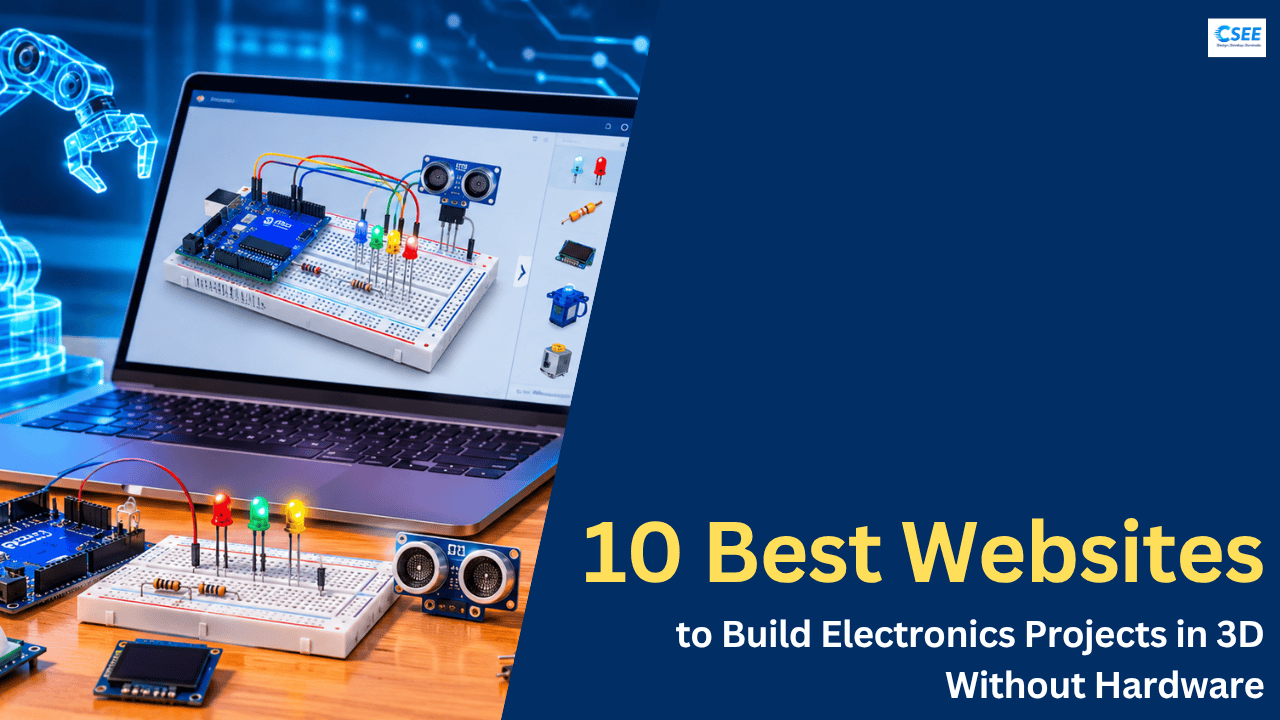
Imagine building a complete electronics project without purchasing an Arduino board, ESP32, sensors, LEDs, motors, resistors or jumper wires. What if you could assemble all these components virtually, connect them using wires, write embedded code, test the circuit and visualize how your project works before building it physically?
This is becoming increasingly interesting for electronics students, embedded systems developers, robotics enthusiasts and hobbyists. Traditionally, building an electronics project requires purchasing components, assembling them on a breadboard, connecting wires, programming a microcontroller and troubleshooting hardware problems. Even a small wiring mistake can prevent a circuit from working.
Virtual electronics design and simulation tools make this process easier. They provide digital environments where users can experiment with electronic components, create circuits, develop firmware and test project ideas. Some platforms also provide AI-assisted design capabilities, while others focus on realistic breadboard layouts, circuit simulation or 3D visualization.
For example, you can experiment with an Arduino-based traffic light controller, an ESP32 smart home automation system, a robotic arm, an IoT weather station or an ultrasonic parking assistance system without immediately purchasing the physical components.
In this article, we will explore 10 interesting websites that can help you design, visualize and simulate electronics projects. We will also discuss their features, applications, advantages and the types of users who can benefit from them.
1. Tinkered AI
Tinkered AI is an interesting platform to explore if you want to use artificial intelligence in electronics project development. Instead of manually figuring out every component and connection, AI-assisted workflows can help translate a project idea into an electronic implementation.
Imagine you want to develop an automatic plant watering system. Traditionally, you would need to understand the components required, identify the correct microcontroller pins, connect a soil moisture sensor, control a water pump and write the firmware.
With an AI-assisted approach, you can start by describing what you want to build and use the platform’s available design capabilities to help develop the project.
A typical automatic irrigation system might include:
- ESP32 or Arduino microcontroller.
- Soil moisture sensor.
- Relay module.
- Water pump.
- External power supply.
- Firmware for automatic watering.
The interesting part is that AI-assisted design can reduce the initial effort required to plan an electronics project.
Key applications:
- Arduino-based projects.
- ESP32-based IoT applications.
- Sensor-based automation.
- Electronics prototyping.
- Learning basic circuit development.
It is worth exploring for people interested in combining AI with traditional electronics development. Check the current simulation and hardware library before relying on it for a complete project.
Website: https://tinkered.ai/
2. ElectroLab AI
ElectroLab AI is another platform worth exploring for AI-assisted electronics design and experimentation.
One of the biggest challenges beginners face when developing electronics projects is understanding how different components connect to each other. Knowing that an ESP32 supports multiple GPIO pins is one thing, but understanding how to connect an OLED display, temperature sensor and other peripherals is another.
AI-assisted electronics tools aim to make this process more accessible by helping users understand circuit requirements and work with electronic components.
For example, consider building a digital temperature monitoring system using an ESP32.
The project could include:
- ESP32 development board.
- DHT22 temperature and humidity sensor.
- OLED display.
- Jumper wires.
- Power supply.
The microcontroller reads temperature and humidity values from the sensor and displays them on the OLED screen.
A visual development environment can help beginners understand component connections and organize the project before moving to physical hardware.
Key applications:
- Electronic circuit experimentation.
- Microcontroller-based projects.
- Learning component connections.
- AI-assisted electronics workflows.
- Beginner-level electronics development.
Website: https://electrolabai.tech/
3. BBRouter
If you enjoy assembling electronic components on a physical breadboard, BBRouter is an interesting tool to investigate.
A breadboard is one of the most commonly used components in electronics prototyping. It allows engineers and students to connect resistors, LEDs, sensors, microcontrollers and other electronic components without soldering.
However, beginners often struggle with understanding how the breadboard’s internal connections work.
BBRouter provides a virtual breadboard-oriented environment where users can explore component placement and wiring connections.
For example, imagine developing a simple LED blinking project.
You need an LED, a current-limiting resistor, a microcontroller and connecting wires. You must connect the LED with the correct polarity and ensure that the resistor limits the current flowing through it.
A virtual breadboard environment helps you understand these connections before assembling the actual circuit.
You can also use breadboard-based experimentation to learn more complicated projects involving sensors and multiple electronic components.
Key applications:
- Virtual breadboard prototyping.
- Component placement.
- Electronic wiring practice.
- Understanding circuit connections.
- Learning electronics through experimentation.
This type of platform can be particularly helpful for students who are just beginning their electronics journey.
Website: https://www.bbrouter.com/
4. Cirkit Designer
Cirkit Designer is a useful platform to explore when working with microcontroller-based electronics projects.
Arduino, ESP32 and Raspberry Pi Pico have become popular development boards among students, hobbyists and embedded systems engineers. These boards are used in robotics, automation, IoT devices and many other applications.
However, developing a project requires more than simply selecting a microcontroller. You must identify the required components, understand their electrical connections and organize the entire circuit.
Cirkit Designer helps users work with electronic project designs and component connections.
Consider a smart home automation system built around an ESP32.
The project could contain:
- ESP32 development board.
- Relay modules.
- Motion detection sensor.
- Temperature sensor.
- LED lighting.
- Wi-Fi connectivity.
The ESP32 can receive sensor information and control connected devices according to programmed conditions.
For example, a motion sensor can detect human movement and trigger a light through a relay module.
Using a visual circuit design environment makes it easier to organize these connections and understand the overall project architecture.
Key applications:
- ESP32 projects.
- Arduino projects.
- IoT prototyping.
- Electronic component connections.
- Circuit documentation.
- Hardware project development.
It is worth exploring for people who regularly work on microcontroller-based projects.
Website: https://www.cirkitdesigner.com/
5. EnhancedDiode
EnhancedDiode is another interesting website to explore for visual electronics experimentation.
Learning electronics can sometimes become difficult when theoretical concepts are not connected to practical examples. Students may understand the definitions of resistors, capacitors, diodes and transistors but struggle to understand how these components work together inside a real circuit.
Visual electronics environments can help bridge this gap.
For example, consider a basic LED driver circuit.
You need to understand how a resistor controls current, how an LED behaves under forward bias and why connecting an LED directly to a power supply without current limiting can damage it.
Instead of only reading circuit diagrams, you can explore component-based circuit arrangements and understand how different elements interact.
This approach can also be useful when learning digital electronics and basic circuit design.
Key applications:
- Electronics experimentation.
- Learning component connections.
- Basic circuit development.
- Visual circuit understanding.
- Electronics education.
It is a platform worth investigating for learners who prefer visual experimentation over textbook-based learning.
Website: https://enhancediode.com/
6. BenchTwin
BenchTwin is one of the most interesting platforms in this list if you want to build electronics and robotics projects in a realistic 3D environment.
Unlike traditional circuit simulators that mainly display schematic diagrams, BenchTwin provides a virtual workbench where you can place electronic components, connect their pins and write code to control the virtual hardware.
One interesting feature is that its component library includes real-world boards, sensors, motors, displays and robotics kits. The platform also provides 3D models that can be viewed and manipulated inside the workspace.
Imagine developing a robot car using an ESP32, ultrasonic sensor, motor driver and DC motors.
In a physical setup, you would need to connect the motor driver to the microcontroller, connect the ultrasonic sensor, provide the required power supply and write firmware to control the robot.
With BenchTwin, you can explore this process virtually. You can connect components pin-to-pin, write Arduino or ESP32 code and observe how the simulated motors and sensors respond.
It also supports robotics environments where you can test robot movement and behaviour.
Key features:
- 3D electronics workbench.
- Realistic component models.
- Pin-to-pin wiring.
- Arduino and ESP32 programming.
- Motor, LED and display simulation.
- Robotics project simulation.
- Custom 3D component design.
Best suited for: Electronics students, robotics enthusiasts, embedded developers and makers who want to experiment with virtual hardware.
One important point: BenchTwin is currently in beta, with its full release announced for January 2027.
Link: https://benchtwin.com/
7. Wokwi
If you are interested in embedded systems development, Wokwi is one of the most useful tools to explore.
Wokwi is an online electronics simulator that allows you to develop and test microcontroller-based projects directly in your browser.
It supports popular development boards such as Arduino, ESP32, STM32 and Raspberry Pi Pico, along with several sensors, displays, LEDs and other electronic components.
The biggest advantage is that you can write and execute embedded code without purchasing the physical development board.
For example, imagine developing an IoT weather monitoring system using an ESP32 and a temperature and humidity sensor.
You can place the ESP32 in the virtual workspace, connect the sensor, write Arduino or MicroPython code and run the simulation.
You can then observe how the firmware reads sensor values and displays the results.
Wokwi is also useful for understanding communication protocols such as I2C, SPI and UART, depending on the selected hardware and simulation support.
Another interesting feature is that you can share your projects with other developers through project links.
Key features:
- Arduino simulation.
- ESP32 simulation.
- STM32 and Raspberry Pi Pico support.
- Arduino and MicroPython development.
- Virtual sensors and displays.
- Embedded firmware testing.
- Project sharing.
- IoT prototyping.
Best suited for: Embedded systems developers, engineering students, Arduino enthusiasts and IoT developers.
If you are learning embedded C, Arduino programming or ESP32 development, Wokwi should definitely be on your list.
Website: https://wokwi.com/
8. Tinkercad Circuits
Tinkercad Circuits is an electronics design and simulation environment from Autodesk. It is particularly useful for beginners who want to learn electronics through practical experimentation.
One of its biggest advantages is its simple drag-and-drop interface.
You can select components from the available library, place them in the workspace, connect wires and simulate the circuit.
It also supports Arduino programming, making it possible to develop basic microcontroller-based projects.
For example, imagine creating a traffic light controller.
You can use an Arduino Uno, three LEDs and appropriate resistors to create a basic traffic signal system.
After connecting the components, you can write the Arduino program and run the simulation to observe the sequence of red, yellow and green lights.
You can also experiment with switches, sensors and other electronic components.
Another interesting application is learning how an ultrasonic sensor works. You can connect the sensor to an Arduino and develop a basic distance measurement project.
The platform provides virtual representations of electronic components, allowing students to experiment without purchasing physical hardware.
Key features:
- Drag-and-drop circuit design.
- Arduino simulation.
- Virtual breadboard.
- Component library.
- Code editor.
- Interactive circuit simulation.
- Beginner-friendly interface.
Best suited for: School students, electronics beginners, engineering students and Arduino enthusiasts.
If you are starting your electronics journey, Tinkercad Circuits is an excellent place to understand the fundamentals.
Website: https://www.tinkercad.com/circuits
9. ElectricVLab
ElectricVLab is an interesting platform for people who want to understand electronics through interactive virtual experiments.
Unlike tools that mainly focus on microcontroller programming, ElectricVLab provides a virtual electronics laboratory where you can build and simulate different analog and digital circuits.
The platform offers more than 120 types of electronic components, allowing users to experiment with different circuit configurations.
You can place components on a virtual breadboard, connect them using wires and switch to simulation mode to observe how the circuit behaves.
For example, consider building a basic transistor switching circuit.
You can experiment with a transistor, resistors, an LED and a power supply to understand how a small input signal can control a larger current through a load.
You can also explore concepts involving diodes, capacitors, resistors and other electronic components.
One particularly interesting aspect is the visual representation of circuit behaviour. You can observe lamps glowing, instruments displaying measurements and animated wires indicating current flow.
This makes it useful for understanding electrical and electronic concepts that are sometimes difficult to visualize through theoretical explanations.
Key features:
- Virtual electronics laboratory.
- More than 120 component types.
- Analog circuit experiments.
- Digital electronics experiments.
- Virtual breadboard.
- Interactive circuit simulation.
- Adjustable component parameters.
- Visual representation of circuit behaviour.
Best suited for: Electrical engineering students, electronics students, teachers and anyone interested in understanding circuit fundamentals.
If your goal is to learn how electronic components behave rather than only write microcontroller code, ElectricVLab is worth exploring.
Website: https://electricvlab.com/
10. iCircuit 3D
The final tool on our list is iCircuit 3D.
It is worth exploring if you are interested in visual electronics design and interactive circuit experimentation.
The broader idea behind 3D electronics tools is to make it easier to understand how components are arranged and connected rather than relying entirely on conventional two-dimensional circuit diagrams.
For example, when designing an electronic project, you might have a microcontroller, several sensors, resistors, capacitors and an output device.
Understanding how all these components fit together can be challenging, particularly for beginners.
A 3D-oriented environment can make the arrangement easier to visualize and help users understand the physical organization of a circuit.
Before choosing this particular platform, check its current component library, supported simulations and available export options to confirm that it meets your requirements.
Potential applications to investigate:
- Visual circuit experimentation.
- Electronic component arrangement.
- Learning circuit connections.
- Understanding electronics projects.
- Interactive prototyping.
Best suited for: Users interested in exploring visual electronics environments and comparing different circuit-design workflows.
Website: https://icircuit3d.apporeum.com/
Comparison: Which Tool Should You Choose?
Here is a quick comparison based on the primary use cases of these platforms.
| Tool | Main purpose | AI assistance |
|---|---|---|
| Tinkered AI | Complete 3D hardware prototyping | Yes |
| ElectroLab AI | AI-assisted circuit and project design | Yes |
| BBRouter | 3D breadboard simulation | AI integration |
| Cirkit Designer | Circuit design and firmware simulation | Yes |
| EnhancedDiode | 3D breadboard and circuit simulation | Not its main focus |
| BenchTwin | 3D electronics and robotics simulation | Not its main focus |
| Wokwi | Microcontroller and firmware simulation | Not its main focus |
| Tinkercad Circuits | Beginner electronics simulation | Not its main focus |
| ElectricVLab | Analog and digital circuit simulation | Not its main focus |
| iCircuit 3D | Visual circuit experimentation | Verify current capabilities |
Final Thoughts
Electronics project development is becoming more accessible with the availability of virtual prototyping, circuit simulation and AI-assisted design tools.
Earlier, if you wanted to experiment with an Arduino or ESP32 project, you generally needed to purchase the development board, sensors, jumper wires, resistors and other components. You also needed to assemble the circuit physically before testing your firmware.
Today, several online platforms allow you to perform at least some of these activities virtually.
For beginners, Tinkercad Circuits is a good starting point. If you are interested in embedded systems development, Wokwi is particularly useful. If you want to experiment with a realistic 3D workbench, explore BenchTwin and BBRouter. For AI-assisted electronics development, look at Tinkered AI, ElectroLab AI and Cirkit Designer.
However, remember that virtual simulation cannot completely replace physical hardware testing. Real-world electronics projects involve electrical noise, component tolerances, power consumption, thermal behaviour, PCB parasitics and hardware-specific limitations. You should always validate important designs on actual hardware before deploying them.
The best approach is to use virtual tools to learn, experiment, debug and develop your initial prototype, then move to physical hardware for final testing.
Whether you are an electronics student, embedded software developer, robotics enthusiast or hobbyist, these platforms can help you explore new project ideas without immediately investing in physical components.