REA: Reverse Engineer Anything with Agents
One MCP server that lets an AI agent investigate native binaries, Electron and JavaScript apps, .NET assemblies, Android packages, websites and more, and report back with evidence.
1. What REA is
REA stands for “Reverse Engineer Anything.” It is an open-source project (MIT licensed) that connects an AI coding agent to a collection of analysis tools through the Model Context Protocol (MCP). Instead of you manually opening a disassembler, searching strings and following call chains, your agent does the legwork and REA supplies the tools and the structure.
The project’s promise is simple: see a feature you like, understand how it works down to the binary level. Analysis runs locally on your machine. The agent receives tool results, and the model provider you use has its own data policy, which is worth remembering when you pick targets.
2. The investigation flow
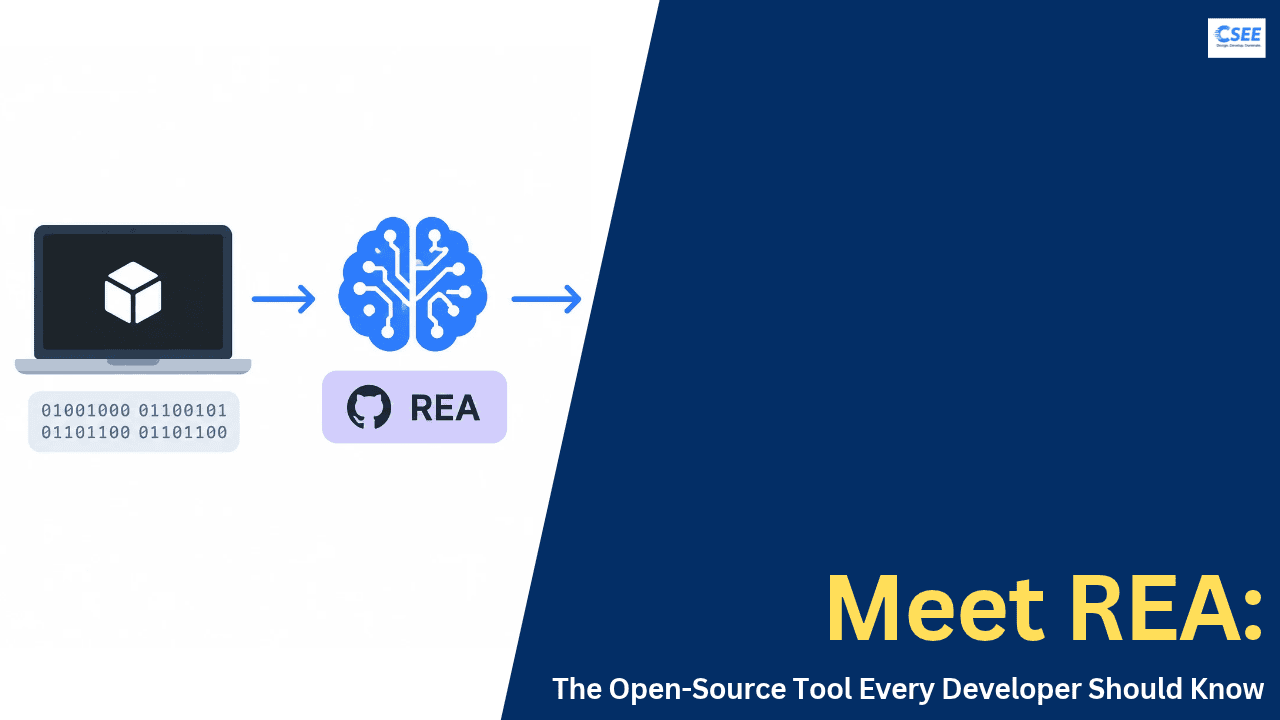
Every REA investigation follows the same loop. Your agent asks a question about a local target. REA inspects and traces the target using the right analysis tool. The findings return as code, references and a list of unknowns. The agent then explains the behavior, implements it, and tests the result.
Why unknowns matter
A good reverse-engineering report separates what is known from what is guessed. REA’s results include limitations and unknowns so the agent does not present a plausible story as fact. When something is missing, the agent can run another probe instead of inventing an answer.
3. Quick start
You need Node.js and npm. REA requires Node.js 22.x (22.19 or newer), 24.x (24.11 or newer), or 26 and above.
- Run setup. This registers REA’s MCP server with your agent and installs matching workflow instructions.
npx rea-agents setup - Review and approve. Choose your agents and read the proposed changes. Setup keeps backups of existing configuration.
- Restart your agent so it picks up the new server.
- Ask a question.
Understand how search works in the Notes app,
show me the evidence, and build a similar
feature for my project.
Setup supports Claude Code, Codex, Cursor, Gemini CLI, Grok Build and other agents. Any agent that supports local MCP servers can use REA through manual registration.
Using the terminal
To inspect an extracted JavaScript or Electron app directory, or an ASAR archive:
npx -y rea-agents@latest analyze-javascript-application /absolute/path/to/app --jsonThe result lists modules, imports, Electron boundaries and the evidence for each. To install the rea command permanently:
npm install --global rea-agents
rea --help
Keeping it updated
REA changes quickly, with frequent fixes. For a global install run rea update. If you use npx, run npx rea-agents@latest setup and restart your agent. Bun global updates need Bun 1.2.17 or later.
ps on the PATH for process ownership checks.4. What you can analyze
REA covers a wide range of targets. Some need nothing beyond Node.js, others need a provider such as Hopper, Ghidra or IDA. Swipe the tables sideways on small screens.
Built-in, no extra tool needed
| Target | What REA returns |
|---|---|
| Desktop installations | Runtime candidates, supporting files, component markers and next probes |
| Go binaries | Compiler version, modules, replacements and build settings |
| Rust binaries | Embedded crate names, versions, sources and dependency edges |
| IL2CPP metadata | Unity assembly images, type and method names, index ranges |
| Godot PCK | Archive inventory, extraction and header facts |
| .NET assemblies | Metadata, CIL instructions, native dependencies, build comparisons |
| Flutter apps | Dart snapshot hash, per-ABI library digests, engine provenance |
| JavaScript / Electron | Modules, imports, source maps, routes, IPC and native add-ons |
Needs a caller-supplied tool
| Target | Returns | Needs |
|---|---|---|
| Native binaries | Pseudocode, assembly, strings, symbols, calls, references | Hopper, Ghidra or IDA |
| Android APKs | Manifest, classes, decompiled methods, references | Headless JADX and a full JDK |
| Android devices | Packages, processes, logs, dumps, transfers | adb |
| Websites | Page structure, scripts, network observations, screenshots | A Chrome-family browser |
| Network captures | Requests, responses, payloads, source locations | HAR or Fiddler SAZ files |
| Firmware | Regions, extraction results, handoffs to native analysis | Binwalk or Unblob (Linux) |
| WASM artifacts | Validation, sections, import and export forms, WAT | WABT 1.0.42 |
| Packet captures | Endpoints, DNS, TLS SNI, protocol distribution | tshark and capinfos |
| Process behavior | Terminal output, interactions, exit and filesystem observations | Linux or macOS with a PTY |
| SQLite databases | Tables, columns, indexes, views, selected rows | Node.js 24.15+ or 26+ |
There are further specialist lanes too: offline ELF layout, EVM bytecode, recorded Linux crashes, JEB projects, Android resources through Apktool, and recorded logic signals through sigrok. Each has its own guide in the project documentation.
5. Choosing the right analysis path
Static versus runtime
Static JavaScript and .NET inspection read the supplied files without running the application. Runtime capture, by contrast, runs or interacts with the target using your user permissions. Each runtime guide describes its effects, so read it before pointing REA at something you do not trust.
6. Providers for native analysis
For deep native work REA drives an existing reverse-engineering suite rather than replacing it.
| Provider | Notes |
|---|---|
| Hopper | REA launches it when needed. Setup can install it with your approval. On macOS a first-run dialog may ask you to choose demo mode or enter a license. |
| Ghidra | Uses your existing installation. Has experimental Windows support and 16-bit DOS analysis. |
| IDA | Uses your existing installation, with an optional native MCP bridge. |
| objdump and Rizin | Supported for offline inspection when you supply them. REA does not install or update either. |
For large binaries, raise the startup deadline with REA_GHIDRA_STARTUP_TIMEOUT_MS or REA_HOPPER_STARTUP_TIMEOUT_MS.
7. Showcases
These examples show the range: a 16-bit DOS-era game, an old x86 Windows title and a modern Electron app, all through the same evidence-driven workflow.
The Electron trace, step by step
8. A sample investigation, end to end
Here is how a typical request unfolds when you ask an agent to understand a feature in an installed app. The exact tools vary by target, but the shape stays the same.
| Phase | What the agent does | What you get |
|---|---|---|
| Survey | Inspects the installation to identify runtime, components and supporting files | Candidates and suggested next probes |
| Locate | Searches strings, symbols, modules or routes related to your feature | A short list of relevant code locations |
| Trace | Follows calls, imports, IPC or references from those locations | Pseudocode, assembly or module relationships |
| Verify | Checks conclusions against evidence and notes limits | Findings with stated unknowns |
| Build | Writes an implementation for your project and tests it | Working code you can review |
Tips for better questions
Name the target and the one behavior you care about. “How does search work in the Notes app?” gives the agent a clear starting point, while “explain this app” does not. Ask for the evidence explicitly, and ask what is still unknown. If the answer cites a code location, ask the agent to show it so you can check it yourself.
9. Troubleshooting and good habits
| Symptom | What to try |
|---|---|
| Something behaves oddly or errors out | Update first with rea update or npx rea-agents@latest setup, restart the agent, retry |
| Agent does not see REA | Run setup again, approve the changes and restart the agent; or register the MCP server manually |
| Native analysis times out on a big binary | Raise REA_GHIDRA_STARTUP_TIMEOUT_MS or REA_HOPPER_STARTUP_TIMEOUT_MS |
| Hopper seems stuck on first run (macOS) | Complete the demo or license prompt in the same user session, or open Hopper manually |
| Linux tools refuse to launch | Make sure a procps-compatible ps is on the PATH |
| Node errors on install | Check your Node.js version against the supported ranges in section 3 |
| New feature missing | It may be on the main branch but not yet in the latest npm release |
Good habits
Keep REA current, because releases arrive often. Start with static analysis when you can, since it never runs the target. Treat runtime capture as running software with your own permissions. Save the evidence your agent cites, so you can reproduce a finding later. Remember that your agent’s model provider sees tool results, so avoid sensitive material you would not share with it.
10. Mini glossary
MCP (Model Context Protocol)
A standard way for AI agents to call external tools. REA is an MCP server, so any MCP-capable agent can use it.
Static analysis
Examining files without running them. Safe and repeatable, but it cannot show behavior that only appears at runtime.
Runtime capture
Running or interacting with a target and recording what happens, such as terminal output or filesystem changes.
Decompiler and pseudocode
A decompiler turns machine code into readable, C-like pseudocode. It is an approximation, which is why REA also exposes assembly.
Electron, preload and IPC
Electron apps combine a web-style renderer with a main process. Preload scripts bridge them, and IPC (inter-process communication) carries messages between the two.
ASAR
The archive format Electron apps commonly use to package their JavaScript and resources.
Evidence
The code, references and observations that back a conclusion, returned together with its limitations.
11. FAQ
Do I need Hopper, Ghidra or IDA?
Only for deep native analysis. Static JavaScript and .NET inspection need no native engine.
Does REA upload my app?
No. Analysis is local. Your agent sees the tool results, and its model provider applies its own data policy.
What code does REA return?
Native analysis returns pseudocode and assembly. JavaScript and Electron analysis recovers modules and their relationships. Your agent uses these to write and test an implementation.
What does the skill do?
It supplies investigation instructions to your agent. Setup installs it alongside the MCP registration.
I hit a bug. Now what?
Update first, since a recent release may fix it. If it persists, open an issue with your REA version, target type, reproduction steps and error output.
12. Responsible use and licensing
REA is intended for lawful research, education, interoperability, software preservation, and analysis of software you own or are authorized to examine. The project’s disclaimer covers all versions and channels.
REA’s own code is MIT licensed, and third-party material keeps its own licenses. Commercial tools such as IDA Pro, Hopper and JEB must be legally obtained and used under their licenses. REA grants no keys or activation, and cracked copies or bypassing license limits are not authorized.
rea-agents npm package. A similarly named repository does not make a download official.13. Summary
| Question | Answer |
|---|---|
| What is it? | An MCP server and CLI for agent-driven reverse engineering |
| Install | npx rea-agents setup |
| Runs where? | Locally on your machine |
| License | MIT |
| Best for | Understanding how a feature works and rebuilding it with evidence |
https://github.com/morluto/rea