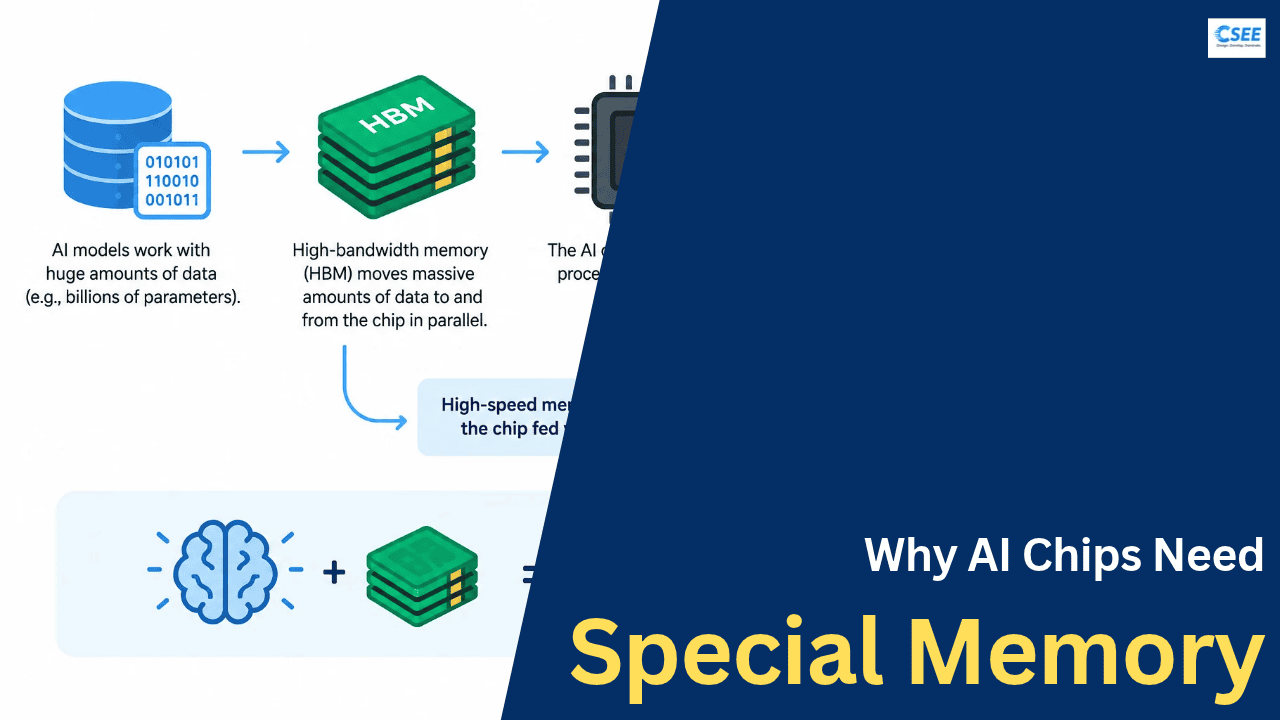
Why do AI chips need special memory?
The AI chip is the brain. High-speed memory is what keeps the brain fed. This page explains why, step by step, with pictures and tables.
The short answer. AI models work with huge amounts of data. A processor can calculate quickly, but if it keeps waiting for data to arrive from memory, the whole system slows down. So AI chips use high-bandwidth memory (HBM), which moves massive amounts of data to the processor in parallel.
1. The kitchen analogy
Picture a chef who can chop ten vegetables per second. That sounds fast, but if a helper brings only one vegetable every five seconds, the chef spends most of the time standing still. Speeding up the chef does nothing. The helper is the problem.
An AI chip is the chef. Memory is the helper. Modern GPUs and accelerators can perform trillions of calculations per second, but each calculation needs numbers to work on. If those numbers arrive too slowly, the chip sits idle, and you have paid for expensive silicon that is waiting.
2. Compute versus bandwidth
Two numbers describe how fast a chip can work. Compute is how many calculations it can do per second (measured in FLOPS). Memory bandwidth is how many bytes it can read or write per second (measured in GB/s or TB/s). A chip needs both to be balanced.
Over the last two decades, compute grew far faster than memory bandwidth. Engineers call the gap the memory wall. Chips got faster at arithmetic much more quickly than memory got faster at delivering data.
3. Why AI models are so data hungry
A neural network is mostly a giant collection of numbers called parameters (or weights). When a model produces an answer, it multiplies its input by those parameters, layer after layer. Every parameter has to be read from memory and brought to the processor.
Each parameter takes space. At 16-bit precision (FP16 or BF16) it is 2 bytes. At 8-bit it is 1 byte. At 4-bit it is half a byte. So memory needed for weights alone is roughly parameters times bytes per parameter.
| Model size | FP16 (2 bytes) | INT8 (1 byte) | 4-bit (0.5 byte) |
|---|---|---|---|
| 7 billion | 14 GB | 7 GB | 3.5 GB |
| 70 billion | 140 GB | 70 GB | 35 GB |
| 405 billion | 810 GB | 405 GB | ~203 GB |
| 1 trillion | 2,000 GB | 1,000 GB | 500 GB |
Weights are not the only thing in memory. A running model also holds activations (intermediate results) and, for chatbots, a KV cache that remembers the conversation so far. Long conversations and many simultaneous users make the KV cache grow large.
4. Where the data lives: the memory hierarchy
Computers use several layers of memory. Small layers are extremely fast and sit next to the compute cores. Big layers are slower and farther away. A model that does not fit in the small layers must stream from the big ones, which is why the big layer’s speed matters so much.
| Layer | Typical size | Typical speed | Role |
|---|---|---|---|
| Registers | Kilobytes | Fastest | Numbers being used this instant |
| On-chip SRAM | Tens of MB | Tens of TB/s | Small working set, tiles of data |
| HBM | 80 to 200+ GB | 3 to 8 TB/s | Model weights, KV cache |
| System RAM (DDR5) | Hundreds of GB | ~50 to 100 GB/s per CPU channel set | General computing |
| SSD | TBs | Up to ~14 GB/s | Storage, loading models |
On-chip SRAM is fast but physically big per bit, so only tens of megabytes fit. A 70-billion-parameter model is thousands of times larger. The weights have to live in a larger memory, and that memory has to be fast. That is HBM’s job.
5. What makes HBM different
Normal memory such as DDR5 sits on separate sticks plugged into the motherboard. Data travels a long way over a narrow connection. HBM takes a different approach, and the idea is simple: go wide and go close.
- Stacked. Several memory dies are stacked vertically like floors in a building, linked by tiny vertical connections called through-silicon vias (TSVs).
- Wide. Each HBM stack has a 1,024-bit interface. A DDR5 module has 64 bits. More lanes means more data per tick.
- Close. The stacks sit right beside the processor on the same package, joined by a silicon layer called an interposer. Short wires mean lower delay and lower energy per bit.
The bandwidth arithmetic
Bandwidth equals bus width times data rate. A rough comparison:
| Memory | Bus width | Approx. bandwidth | Where used |
|---|---|---|---|
| DDR5-5600 (1 module) | 64-bit | ~45 GB/s | PCs, servers |
| GDDR6X (24 GB card) | 384-bit | ~1,000 GB/s | Gaming GPUs |
| HBM3 (per stack) | 1,024-bit | ~819 GB/s | AI accelerators |
| HBM3e (per stack) | 1,024-bit | ~1,000+ GB/s | Newest AI accelerators |
An accelerator packs several stacks, so the total reaches multiple terabytes per second, dozens of times what a normal computer’s RAM delivers.
6. The cost of waiting: a worked example
Take a 70-billion-parameter model at FP16, so 140 GB of weights. When a chatbot writes one word (one token), the chip must read essentially all of those weights once. How long does that take?
| Memory system | Bandwidth | Time to read 140 GB | Best case speed |
|---|---|---|---|
| Dual-channel DDR5 | ~90 GB/s | ~1.6 s | ~0.6 tokens/s |
| GDDR6X (does not fit, 140 GB) | ~1,000 GB/s | needs several cards | n/a |
| HBM3 (H100, 2 GPUs) | ~6,700 GB/s combined | ~21 ms | ~48 tokens/s |
The upper speed limit for a single user is simply bandwidth divided by model size in bytes. The processor’s raw math speed barely matters here. This is why AI hardware is described as memory-bound.
7. Arithmetic intensity and the roofline
Arithmetic intensity means how many calculations you do for each byte you fetch. If you do a lot of math per byte, the chip stays busy and compute is the limit. If you do little math per byte, the chip waits and memory is the limit.
Generating text one token at a time sits on the sloped part: lots of weights read, only a few multiplications per weight. Faster memory directly lifts the whole line. This is the situation where HBM helps most.
8. Training versus inference
Training teaches the model. It reads weights, computes errors, and updates the weights, again and again, over trillions of tokens. Memory holds far more than weights: gradients and optimizer state too. With the common Adam optimizer in mixed precision, a rule of thumb is about 16 bytes per parameter.
Inference uses the trained model to answer questions. It mostly reads weights and the KV cache, and it is often the harder workload for bandwidth because individual users generate text token by token.
| Training | Inference | |
|---|---|---|
| Reads weights | Yes, every step | Yes, every token |
| Writes weights | Yes, updates constantly | No |
| Memory per parameter | ~16 bytes (rule of thumb) | 0.5 to 2 bytes plus KV cache |
| 70B model needs | ~1.1 TB (many GPUs) | 35 to 140 GB plus cache |
| Typical bottleneck | Capacity, then compute | Bandwidth |
9. Why not simply use normal memory?
- Too narrow. To match HBM, you would need dozens of DDR channels, far more than any board can route.
- Too far. Long traces to distant sticks waste time and power. Moving a bit costs much more energy than computing with it.
- Too hot and hungry. Moving data fast over long wires burns power that HBM’s short links avoid.
- Too big. Spreading memory across the board takes space that dense packaging saves.
10. The trade-offs of HBM
HBM is not free. It costs several times more per gigabyte than ordinary DRAM, needs advanced packaging, and is made by only a few companies. Stacking dies is hard and yields can be low. Supply of HBM has often limited how many AI accelerators can be shipped.
| Property | DDR5 | GDDR6X | HBM3e |
|---|---|---|---|
| Bandwidth | Low | High | Very high |
| Capacity per package | High (up to 64 GB+ per module) | Medium | Medium to high (24 to 36 GB per stack) |
| Energy per bit | Highest | Medium | Lowest |
| Cost per GB | Lowest | Medium | Highest |
| Packaging | Simple sticks | Chips on board | Stacked, on interposer |
11. Tricks that reduce the memory burden
- Quantization. Store weights in 8-bit or 4-bit so fewer bytes are read per token.
- Batching. Serve many users at once so each weight read is reused for many answers, raising arithmetic intensity.
- Tiling and kernel fusion. Keep small blocks of data in on-chip SRAM and reuse them before going back to HBM.
- Sparsity and mixture-of-experts. Only touch part of the model per token.
- KV cache compression. Shrink what is remembered about the conversation.
- Splitting across chips. Spread a model over many accelerators so their memory bandwidths add up.
12. Quick summary
Compute got fast. Moving data did not keep pace. AI models need to stream billions of parameters constantly. HBM answers with stacked dies, very wide connections, and a position right beside the processor. The result is terabytes per second instead of tens of gigabytes per second.
In plain words: the AI chip is the brain, and high-speed memory keeps the brain fed with data. A brain that is starved of food cannot think quickly, no matter how powerful it is.
Figures are approximate and vary by product and configuration.