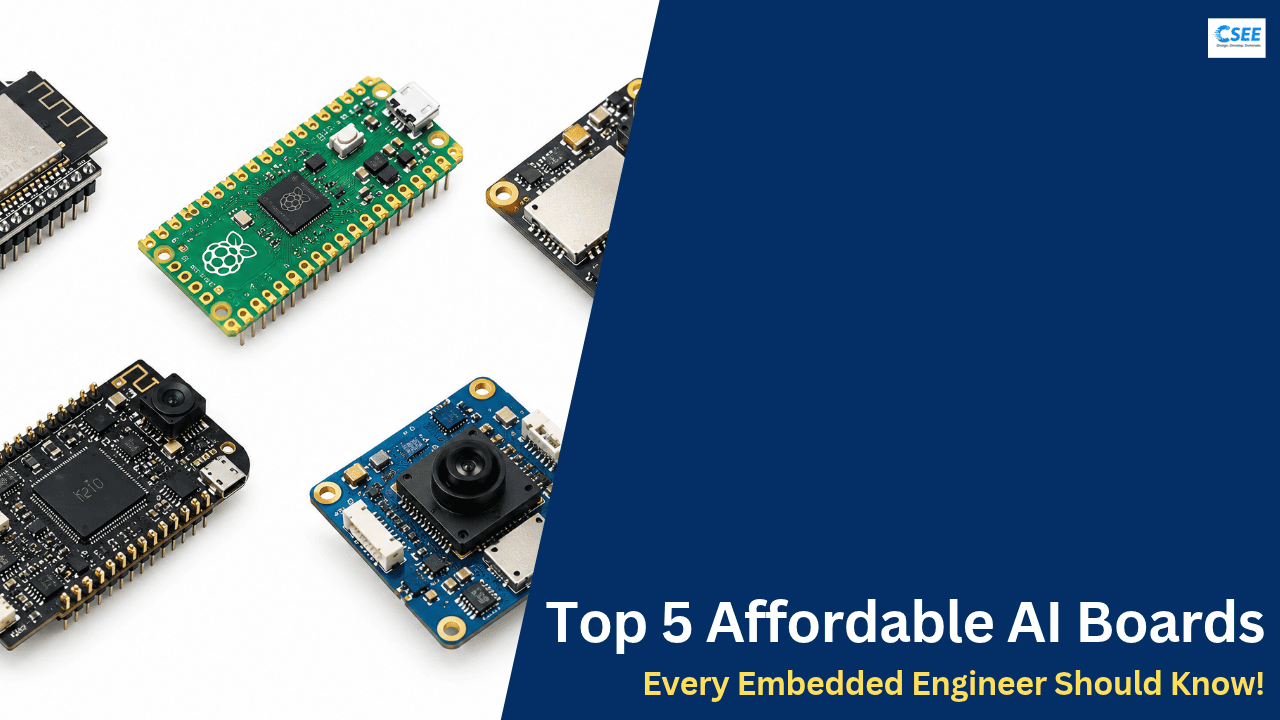
Top 5 Affordable AI Boards Every Embedded Engineer Should Know 🚀
You can learn embedded AI without spending thousands. This guide explains five low-cost boards, what each one is good at, how they differ, and which to buy first.
1. What “embedded AI” actually means
Embedded AI (also called TinyML or edge AI) runs a trained machine-learning model directly on a small device instead of sending data to the cloud. A sensor or camera produces data, the microcontroller runs the model, and the result triggers an action such as lighting an LED, sending an alert, or moving a motor.
Running on-device gives you four practical advantages: low latency (no network round trip), privacy (raw audio and images stay local), low power (a small chip can run for months on a battery), and offline operation (it works without Wi-Fi).
The typical workflow
Whichever board you choose, the workflow is nearly the same: collect data, train a model on a PC or in the cloud, shrink it (quantization to 8-bit integers is the most common step), convert it to a format the board can run, and deploy it as firmware. Tools such as Edge Impulse, TensorFlow Lite for Microcontrollers and vendor SDKs automate most of these steps.
2. The five boards at a glance
Prices are rough street prices and vary by region, seller and stock. Always check the current listing before you buy.
| Board | Core chip | Strength | Best for | Approx. price |
|---|---|---|---|---|
| ESP32-S3 DevKit | Dual-core Xtensa LX7, 240 MHz | Wi-Fi + BLE, AI vector instructions | Sensor ML, keyword spotting | $8–15 |
| Raspberry Pi Pico 2 | RP2350, dual Cortex-M33 (or RISC-V), 150 MHz | Cheap, superb docs | Learning embedded C/C++, light ML | ~$5 |
| XIAO ESP32-S3 Sense | ESP32-S3 + camera + mic | Tiny, camera built in | Image and gesture recognition | $14–18 |
| Sipeed Maix Bit K210 | Dual-core 64-bit RISC-V, 400 MHz + KPU | Hardware CNN accelerator | On-device vision models | $20–35 |
| Grove Vision AI Module V2 | Arm Cortex-M55 + Ethos-U55 NPU | Dedicated vision NPU | Smart camera, object detection | $25–35 |
3. Board 1: ESP32-S3 DevKit TinyML starter
The ESP32-S3 from Espressif is the most flexible all-round board on this list. It pairs a dual-core 240 MHz Xtensa LX7 processor with Wi-Fi, Bluetooth LE 5, USB and extra vector instructions that speed up neural-network maths. Many DevKit variants add 8 MB of PSRAM and 8–16 MB of flash, which is essential once models grow beyond a few hundred kilobytes.
What you can build
Typical projects include keyword spotting with a digital microphone, anomaly detection on vibration data from an accelerometer, simple gesture classification, and connected sensor nodes that send only the result of inference over MQTT. Because Wi-Fi is built in, it is ideal for IoT dashboards and over-the-air updates.
Strengths and limits
| Strengths | Limits |
|---|---|
| Wi-Fi and BLE on the same chip; huge community; works with Arduino, ESP-IDF and MicroPython; good support in Edge Impulse and ESP-DL. | No dedicated NPU, so heavier image models run slowly; camera modules need extra wiring unless you pick a camera variant. |
Where to buy the ESP32-S3 DevKit
Each link opens a search on a different retailer.
4. Board 2: Raspberry Pi Pico 2 Learn the fundamentals
The Pico 2 uses the RP2350 chip, which has two Arm Cortex-M33 cores (or alternatively two open RISC-V Hazard3 cores), 520 KB of SRAM and 4 MB of flash at roughly five dollars. It is not an AI accelerator, but it is the best way to learn the embedded C/C++ skills that every TinyML project depends on: memory layout, interrupts, DMA, timers, and the programmable I/O (PIO) blocks that let you create custom hardware interfaces.
What you can build
Think small: gesture recognition from an IMU, tiny decision-tree or neural-network classifiers on sensor data, and sound-level or simple audio event detection. The M33 core includes DSP-style and floating-point support, which helps TensorFlow Lite Micro and CMSIS-NN kernels run reasonably well on small models.
Strengths and limits
| Strengths | Limits |
|---|---|
| Very cheap; excellent datasheets and C SDK; PIO is unique; large hobbyist and education community. | No built-in Wi-Fi on the base Pico 2 (the “W” version adds it); no camera interface; not suited to image models beyond tiny resolutions. |
Where to buy the Raspberry Pi Pico 2
Pick the plain Pico 2 or the Pico 2 W if you want wireless.
5. Board 3: XIAO ESP32-S3 Sense Camera + mic
Seeed Studio’s XIAO ESP32-S3 Sense is a thumb-sized board that arrives with a detachable expansion board carrying a camera (OV2640 typically), a digital microphone and a microSD slot. It has 8 MB of PSRAM and 8 MB of flash, so it can hold camera frames and small vision models without extra parts.
What you can build
Person or object presence detection at low resolution, hand-gesture recognition, wake-word detection with the microphone, time-lapse capture to SD card for dataset building, and tiny wearable or badge-style devices thanks to the 21 × 17.8 mm footprint.
Strengths and limits
| Strengths | Limits |
|---|---|
| All-in-one vision and audio; tiny size; Wi-Fi/BLE; strong Edge Impulse and Arduino support. | Still CPU-only inference; the camera board can warm up with continuous streaming; few pins break out because of the Sense board. |
Where to buy the XIAO ESP32-S3 Sense
Search for “Sense” so you receive the camera and mic board.
6. Board 4: Sipeed Maix Bit K210 Vision accelerator
The Maix Bit is built around the Kendryte K210, a dual-core 64-bit RISC-V processor running up to 400 MHz with a hardware neural-network engine (the KPU) that delivers roughly 0.23 TOPS. It has about 8 MB of on-chip SRAM, and boards ship with 16 MB of flash plus a camera and LCD connector. This lets it run supported convolutional models such as face detection and object classification at useful frame rates.
What you can build
Face detection, colour tracking, simple object classifiers, QR code reading and small robots with vision. Models are converted with the vendor toolchain (nncase) and can be driven from MicroPython (MaixPy) for fast prototyping.
Strengths and limits
| Strengths | Limits |
|---|---|
| Real hardware CNN acceleration at a low price; mature MaixPy examples; good for learning vision pipelines. | An older platform with limited operator support (not every model converts); development has slowed compared with newer chips; availability varies by seller. |
Where to buy the Sipeed Maix Bit K210
Stock changes often, so compare several stores.
7. Board 5: Grove Vision AI Module V2 Smart camera
Seeed’s Grove Vision AI Module V2 is built on the Himax WiseEye2 HX6538 processor, which combines an Arm Cortex-M55 core with an Ethos-U55 micro-NPU. It has a MIPI-CSI camera connector (compatible with Raspberry Pi cameras such as the OV5647), 16 MB of flash, and can be paired with a XIAO board or controlled over I2C, UART or SPI. It is designed to run detection models such as YOLO-family networks at low power.
What you can build
People counting, object detection for pets or parcels, always-on smart cameras that wake a main controller only when something is seen, and low-power industrial inspection prototypes. Because the module does detection on its own, the host board only receives results (class, box, confidence).
Strengths and limits
| Strengths | Limits |
|---|---|
| Dedicated NPU gives the best vision performance per watt in this list; modern Arm toolchain; easy pairing with XIAO boards. | Newer ecosystem with fewer tutorials; model conversion needs the vendor workflow; costs more than the general-purpose boards. |
Where to buy the Grove Vision AI Module V2
Make sure the listing says “V2” (WiseEye2), not the older V1.
8. Choosing the right board
Start from the problem, not the chip. Sensor data (vibration, temperature, motion) needs very little compute, so a Pico 2 or ESP32-S3 is enough. Audio needs a microphone interface and a bit more memory, favouring the ESP32-S3. Images are the most demanding; for them, an accelerator or a camera-equipped board is the sensible choice.
Which one first?
| Your goal | Start with | Why |
|---|---|---|
| Learn embedded C/C++ cheaply | Raspberry Pi Pico 2 | Lowest cost, best documentation |
| IoT + sensor ML | ESP32-S3 DevKit | Wireless and flexible |
| Camera prototype in a tiny size | XIAO ESP32-S3 Sense | Camera, mic, SD in one |
| Learn hardware-accelerated vision | Maix Bit K210 | Affordable CNN accelerator |
| Modern, low-power object detection | Grove Vision AI V2 | Ethos-U55 NPU |
9. Core skills and a learning path
Hardware is only half the story. These skills transfer across every board here:
| Skill | Why it matters |
|---|---|
| Quantization | Converting weights to int8 shrinks models about four times and speeds up inference on integer hardware. |
| Data collection | Model quality depends on realistic data captured with your own sensor and environment. |
| Memory budgeting | Knowing flash versus SRAM versus PSRAM prevents crashes and slowdowns. |
| Profiling | Measure latency and power; optimise only what is slow. |
| Deployment | OTA updates, logging and watchdogs make a prototype reliable. |
1. Blink an LED and read a sensor (Pico 2)
2. Log sensor data and train a classifier
3. Deploy int8 model with TFLite Micro
4. Add Wi-Fi reporting (ESP32-S3)
5. Add camera inference (XIAO Sense)
6. Move heavy vision to an NPU (Vision AI V2)
10. Final thoughts
Embedded AI is now accessible to anyone with a few dollars and curiosity. Begin with the Pico 2 or ESP32-S3 to understand the fundamentals, add a camera with the XIAO ESP32-S3 Sense, and graduate to dedicated accelerators such as the Maix Bit K210 or Grove Vision AI Module V2 when your models demand it. Pick one board, build one small project, and iterate. Want to try them yourself? 🚀